The Personify WSD allows you to perform the following:
Create new entities, including read/write, read-only, views, service parameters, associations, and service operations.
The fundamental responsibility of the Design Canvas is to provide the visual representation of the elements - Entities, Associations, and Service Operations. Each element has a unique shape, theme, and icons as described in the Designer Layout section.
Additionally, the Design Canvas also provides the following:
Visual representation of the relationships among the entities themselves and between service operations and entities.
Resizing of the elements.
Repositioning of the elements.
Expanding and Collapsing of Property Groups, wherever applicable.
Expanding and Collapsing of Entities.
Zooming of the entire canvas.
The primary purpose of the Personify WSD is not limited to providing the design surface for the developer to design web services. Additionally, it also:
Ensures that the elements are strongly bound to Personify APIs.
Honors the customizations done by customers by recognizing the Customer layer APIs.
Provides ability to configure and handle the API validation issues automatically.
Supports multi-level layering. With this, associations can extend base services (provided by TMA Resources).
Provides seamless upgrade - eliminates the hassle of manual retrofitting and merging.
Maintains the integrity among various layers – base, vendor, customer.
Provides source controlling. With this, developers can check-in, check-out, and rollback the changes. Also, it preserves the historical data.
Provides the ability to test the web services locally and publish on to the servers.
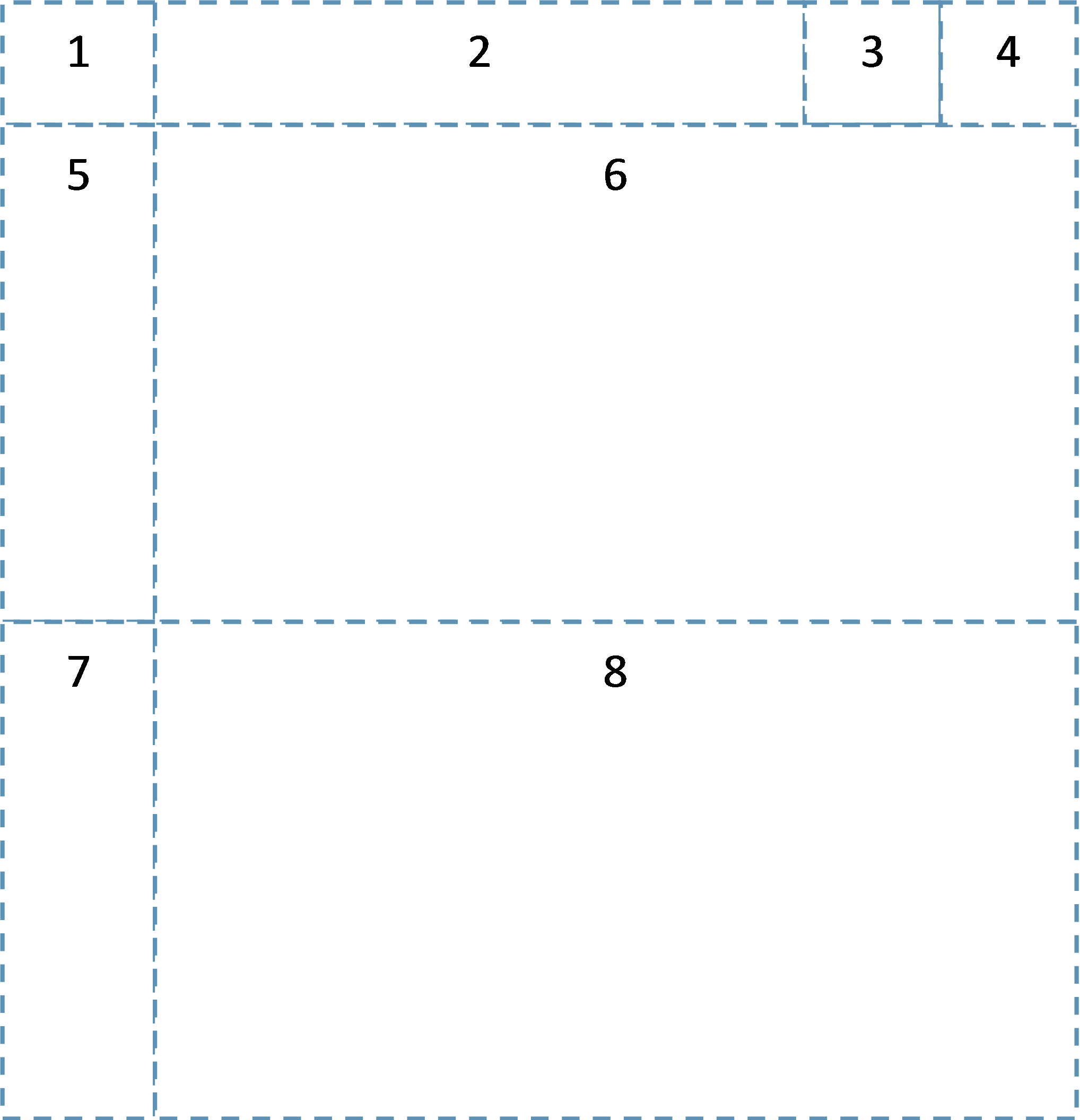
Entity layout:
1. Entity Icon – indicates the type of entity.
2. Entity Name – displays the name of the entity.
3. Error icon – indicates that there is an error, warning or suggestion.
4. Expand/Collapse Button – expands and collapse the entity.
5. Property Icon – indicates the type of property.
6. Properties – displays the properties that belong to that entity.
7. Navigation Property Icon – indicates the Navigation property.
8. Navigation Properties – displays the Navigation properties that belong to that entity.
See Also: Starting the Web Services Designer