In order to modify an existing element, it should be checked out first. After checking out, that element should be brought on to the Design Canvas, if not it is already there.
There are two levels of modification – one is modifying the “Native Elements” (elements that are originated from your own layer) and the other is modifying the “Inherited Elements” (elements that are inherited from its parent layer). Depending on the origin of the element, the scope of modification varies. The Personify WSD handles all these validations automatically.
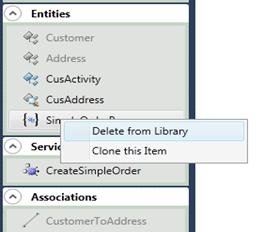
All elements (Entities, Associations and Service Operations) can be permanently deleted from the library by right-clicking the item and selecting Delete from Library, as shown below.
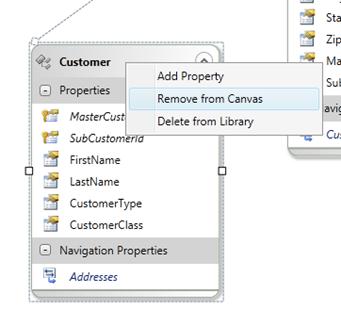
Entities and Service Operations can be removed from the Design Canvas by right-clicking the item and selecting Remove from Canvas, as shown below.
To clear all the elements from Canvas, click the Clear Canvas button on the toolbar.

 This operation removes the element from canvas and not from the library.