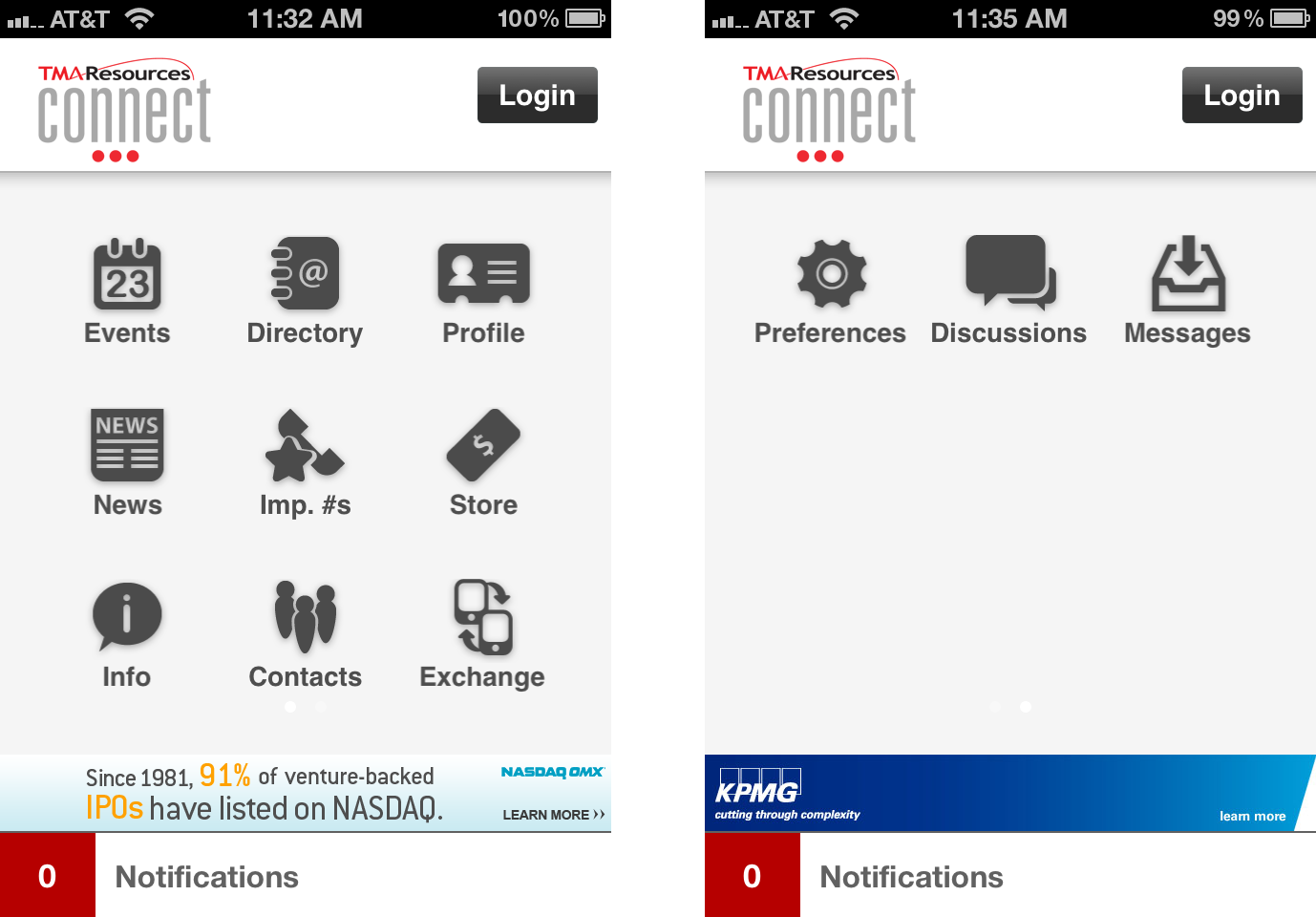
When your users first open the mobile application, they are presented with a homepage that offers icons for each available module. An image of the default homepage for the iPhone is displayed below, on the left. The second image below on the right displays two additional icons that can be seen on the second homepage.
All modules listed below are available with the Personify Mobile application; however, your association can decide to enable or disable any of the modules. If your association decides to enable all modules, the homepage or your Personify Mobile application displays just as the screens above. If you disable a module, the module will not display on the homescreen of the application and cannot be accessed by any of your users.
 Your
association can change the display order of the enabled modules. For more
information, please see Configuring
your Mobile Home Page.
Your
association can change the display order of the enabled modules. For more
information, please see Configuring
your Mobile Home Page.
The following is a list of modules available with Personify Mobile:
· Events – provides a listing of Meeting Products available for viewing and/or purchase.
· Directory – allows users to view other user profiles enabled for display.
· Profile – gives users access to view their personal profile.
· News – provides a listing of RSS Feed announcements set up by your association.
· Imp. #s – provides a listing of contact phone numbers linked to the association.
· Store – gives users the ability to view and/or purchase INV and FND products.
· Info – provides users with overview and contact information for the association.
· Contacts – provides a listing of profiles a user exchanged contact information with.
· Exchange – allows users to swap information with other Personify Mobile app users.
· Preferences - allows users to include or exclude their profile information from the Directory.
· Discussions – allows users to read and participate in discussions with Higher Logic groups to which they belong.
· Messages - allows users to read message feeds.
· Notifications - provides users alerts to any of the base Personify email notifications, as well as any custom notifications created by your organization.
· Banners - displaying rotating images that take users to define URLs when clicked.
Although
Notifications and Banners are listed in the module list above, they cannot
be turned on and off like the other modules. Notifications and Banners
are simply features of Personify Mobile that your association can choose
whether or not to use.
Your organization also has the option of designating enabled modules as “Public” or “Private.” Public modules are accessible to any one who downloaded the application (whether logged in or not); whereas, private modules require users to login with their e-Business Web credentials. For more information, please see Configuring your Mobile Home Page.
The module descriptions and user experiences detailed below are based on the default setup of the Personify Mobile application. For more information on the configuration options, please refer to the next section, Configuring your Mobile Application.