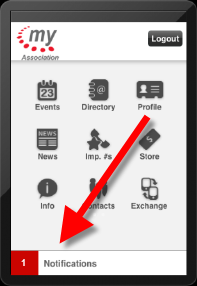
Notifications provide users alerts to any of the base Personify Email Notifications, as well as any custom notifications created by your organization. On the iPhone, the notifications bar displays at the bottom of the Personify Mobile Application, as shown below. Web services pull information from Personify into the mobile application. For more information, please see Configuring the Mobile Notifications Module.
 The
notifications bar displays at the top of the Android device and a notifications
button displays as the last icon on the second home page of the Blackberry
device.
The
notifications bar displays at the top of the Android device and a notifications
button displays as the last icon on the second home page of the Blackberry
device.
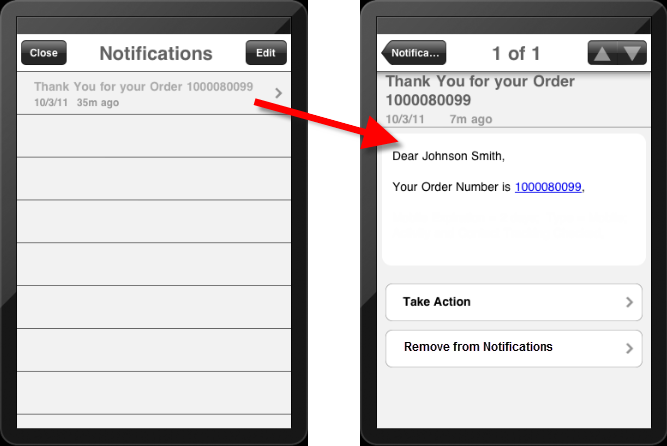
When the user clicks on the notifications bar, a list of notifications display, as shown below on the left. Then, when the user clicks the notification, the notification opens, as shown below on the right.
Each notification is configured via the back office, where an expiration date can be defined. Users can opt to delete a notification or leave it until it expires. For more information, please see Configuring Mobile Notifications.