 For
more information on the INV60 batch process, see INV610
– Shipping Import Process.
For
more information on the INV60 batch process, see INV610
– Shipping Import Process.
The information contained by this tab also works in conjunction with the INV610 process. Since the Ship Via codes used by a third-party shipping vendor will not necessarily match those used by Personify, a mapping structure is needed. For example, the Ship Via Code in the file from FedEx may be “FX”, instead of the Personify defined code of “FEDEX”.
For
more information on the INV60 batch process, see INV610
– Shipping Import Process.
To enter ship via code mapping:
1. On
the Warehouse Definition
screen, click the Ship Via Code Mapping
tab.
The ShipVia Mapping Information screen displays, as shown below.
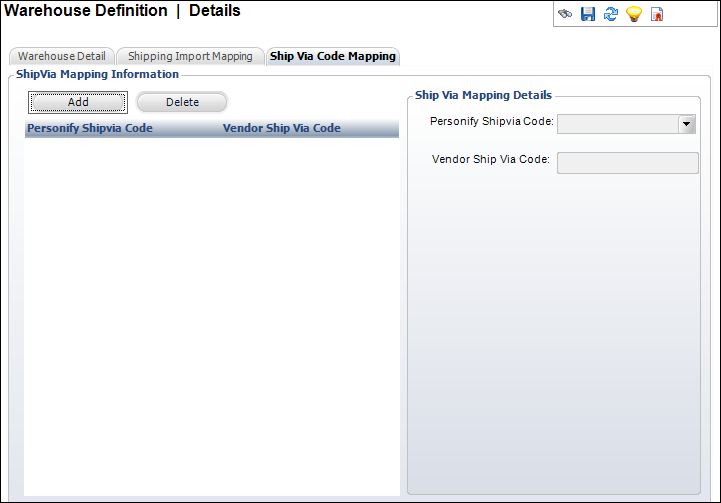
2. Click
Add.
A new record is added to the grid below and the fields in the Ship Via
Mapping Details section become enabled.
3. Select
the Personify Ship Via Code from
the drop-down.
This is the shipping method recognized by Personify that you are mapping
the vendor’s shipping code to.
4. Enter
the Vendor Ship Via Code.
This is the vendor’s shipping method code, which will then be mapped to
the Personify shipping method code, defined above.
5. Click Save.