As
a best practice, make sure to test your website before releasing it to
your users in order to ensure that all settings are configured properly.
As
a best practice, make sure to test your website before releasing it to
your users in order to ensure that all settings are configured properly.
Many of the system types and codes are used in both the Enterprise (back office) and in the e-Business website. It is important to make sure to web enable in the back office the system types and codes that you want to display on the e-Business website or they will NOT display on the web. For instance, on the Contact Information control, if the COMM_TYPE is not web enabled, it will not display on the e-Business website. If these system types and codes are NOT web enabled, you will be able to use them in the back office but not on the e-business website. The Configuring Back Office Settings for the [Control's Name] section will specify the system types and codes that need to be web enabled before setting up that control. For more information, please see Enabling System Types and Codes for the Web.
As
a best practice, make sure to test your website before releasing it to
your users in order to ensure that all settings are configured properly.
As
of 7.4.2, the following inventory system types and codes will already
be web-enabled in the back office: Fulfill_Status and Field_Status. See
Inventoried Product System Types and Codes for more information.
These settings allow inventoried components to display with member orders.
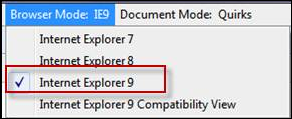
If
your organization uses Internet Explorer 9, your browser should be set
to Internet Explorer 9 Mode not Internet Explorer 9 Compatibility Mode,
as highlighted below.
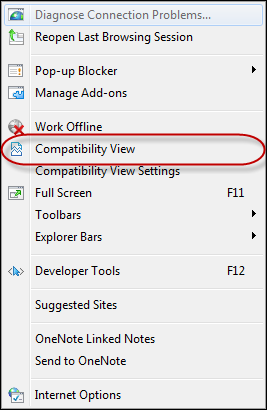
If you are using Internet Explorer 8, the "Compatibility View"
mode should not be selected, as highlighted below.