 This
tab is only displayed if the Sponsored Award checkbox is selected.
This
tab is only displayed if the Sponsored Award checkbox is selected.
Sponsors may or may not be involved in an awards program and may or may not sponsor a prize. The Sponsors tab provides organizations with a free-form way to describe what the sponsor is providing.
This
tab is only displayed if the Sponsored Award checkbox is selected.
To add a sponsor to an awards program:
1. From
the Manage Awards Programs screen,
from the Sponsors tab, click Add.
The Customer Chooser is displayed.
2. Search
for and select the appropriate customer to be designated as the sponsor
of the award.
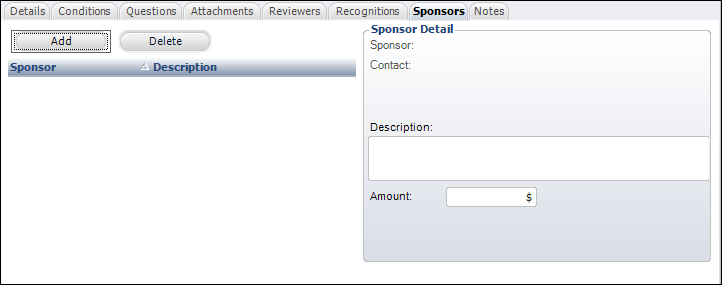
3. Click the Contact link and search for the appropriate customer to be designated as the sponsor’s contact.
4. Enter the sponsorship Description.
5. If necessary, enter the sponsorship Amount.
6. Click Save.
7. Repeat
as necessary to add additional sponsors.
There is no limit to the amount of sponsors for an awards program.
| ||||||||||||||||