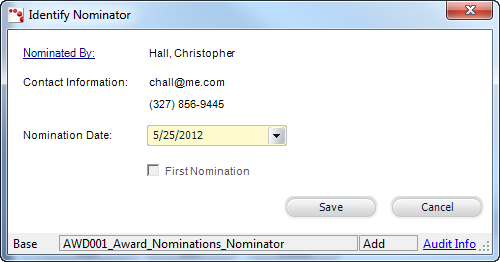
The Identify Nominator screen displays, as shown below.
Multiples nominations for the same nominee may be received. Personify provides a way to distinguish and record the nominations by allowing you to specify the nominator and nomination date. This step can only be performed once you have added the nominee record.
To add a nominator to a nominee:
1. From the Award Nominations screen, select the appropriate nominee from the grid.
2. From
the Nominations tab, click Add.
The Chooser Nominated By window is displayed.
3. Search
for or create a customer to add as the nominator.
The Identify Nominator screen displays, as shown below.
4. The Nomination Date defaults to today. If necessary, change the Nomination Date.
5. Click
Save.
The record is added to the Nominations grid. If this is the first nomination,
the First Nomination checkbox is selected by default, and that
customer’s name displays in the First Nominated By column of the Nominee
Details grid on the top of the page.
See Also:
· Uploading Nominator Attachments
· Adding a Nominator's Response to a Nomination Question(s)