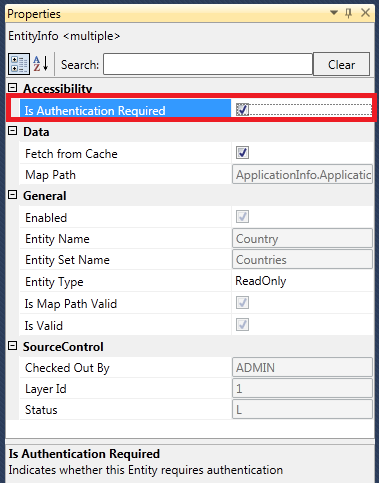
Entities and Service Operations can be marked for anonymous access. When an element is marked for anonymous access, those elements can be consumed via Data Services without passing the credentials.
To mark an entity as anonymous:
1. Check out the element, if it is not already checked-out.
2. Drag and drop the element onto the canvas.
3. Select the element so that the Properties grid displays to the left.
4. In
the Properties grid, uncheck the Is Authentication Required attribute checkbox, as shown
below.
When you have an association between two entities and if the Principal entity has anonymous access and the Dependent entity needs authentication, then a user can access the Principal without providing credentials and when they access the Dependent, it blocks the access.