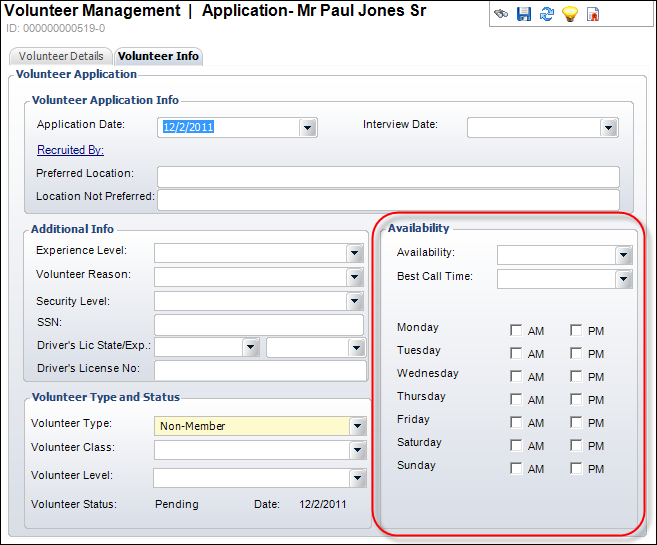
To define a volunteer’s availability:
1. On
the Volunteer Central screen, click Capture
Volunteer Skills, Interests, Qualifications or Create
Customer as Volunteers.
The Volunteer Management search screen displays.
2. Search
for and select the appropriate volunteer.
Please note that if the customer you select is not already a volunteer,
you will be prompt to mark
them as a volunteer.
3. Locate
the Availability section, as highlighted below.
4. The Availability and Best Call Time defined on the Volunteer Details tab are displayed by default.
5. If
necessary, select a different Availability of the volunteer from
the drop-down.
Values are populated based on the non-fixed VOL "VOLUNTEER_AVAILABILITY"
system type.
6. If
necessary, select a different Best Call Time of the volunteer from
the drop-down.
Values are populated based on the non-fixed VOL "BEST_CALL_TIME"
system type.
 Keep
in mind that these options on the Volunteer Details tab will also change.
Keep
in mind that these options on the Volunteer Details tab will also change.
7. Select
the appropriate checkboxes to indicate the best days and times of the
day the volunteer is available.
These fields are used in queries to match volunteers to jobs.
8. Click Save.