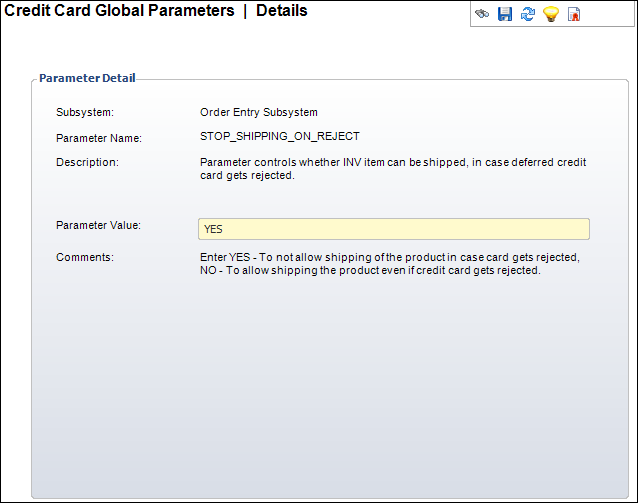
The Credit Card Global Parameters screen displays as shown below.
To configure the credit card processing application parameters:
1. From
the Configure and Verify Interfaces (APP014) screen, click Setup Global Credit Card Parameters.
The Credit Card Global Parameters search screen displays.
2. Select
a credit card Parameter Name.
The Credit Card Global Parameters screen displays as shown below.
3. Enter the Parameter Value you want for that parameter.
4. Click Save.
5. Repeat steps 2-4 for each parameter name.
 For
detailed credit card processing application parameter information, see
Personify Universal Payment Handler Interface Parameters and Processes.
For
detailed credit card processing application parameter information, see
Personify Universal Payment Handler Interface Parameters and Processes.