Parameter Name |
Description |
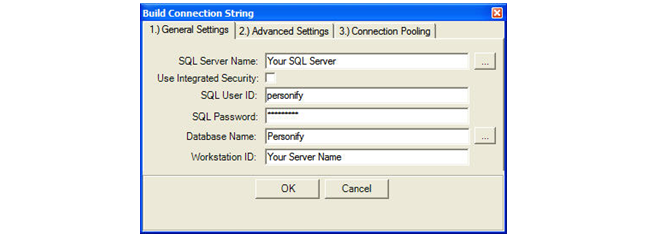
General Settings |
| SQL
Server Name |
The name or network
address of the instance of SQL Server to which you want to connect.
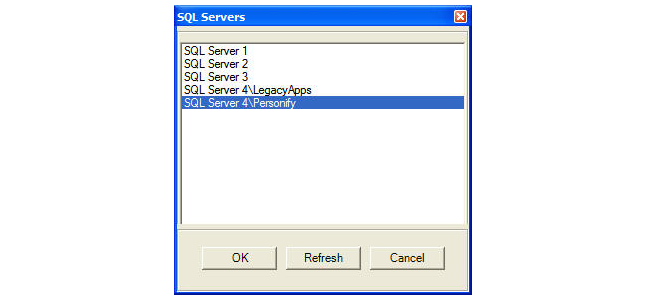
Clicking the button next to the SQL Server Name text box opens
a dialog that lists the available SQL Servers on your network.
 If your network is very large
or contains many SQL Servers, it may take several seconds for
this dialog to open as it will interrogate your entire network
looking for any SQL Server instances. If your network is very large
or contains many SQL Servers, it may take several seconds for
this dialog to open as it will interrogate your entire network
looking for any SQL Server instances.
|
| Use
Integrated Security |
When set to true,
the connection to the database is based on the currently logged
on user of the workstation. When set to false, the login is based
on the SQL Server credentials. |
| SQL
User ID |
The SQL Server
login account. |
| SQL
Password |
The password for
the SQL Server account logging on. |
| Database
Name |
The name of the
database.
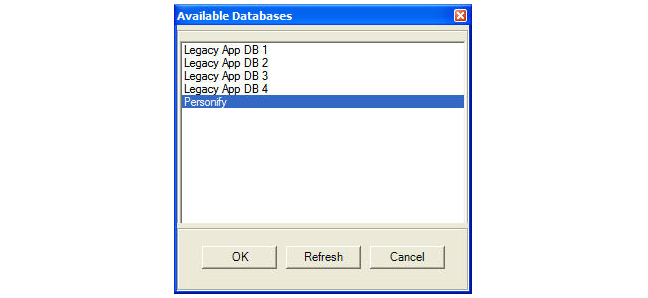
If you have provided a valid user ID/password
for the SQL Server instance, you can click the button next to
the database name and be provided with a list of available databases
on the SQL Server instance. |
| Workstation
ID |
The name of the
workstation connecting to the SQL Server. |
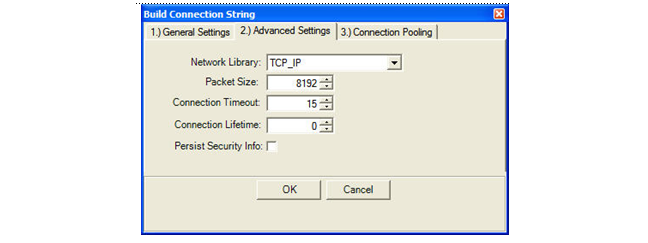
Advanced Settings |
| Network
Library |
The network library
used to establish a connection to an instance of SQL Server.
Supported values are:
- Named Pipes
- Multiprotocol
- Apple Talk
- VIA
- Shared Memory
- IPX/SPX
- TCP/IP
The corresponding network DLL
must be installed on the system to which you connect.
If you do not specify a network
and you use a local server (for example, “.” or “(local)”), shared
memory is used. |
| Packet
Size |
Size, in bytes,
of the network packets used to communicate with an instance of
SQL Server. |
| Connection
Timeout |
The length of
time, in seconds, to wait for a connection to the server before
terminating the attempt and generating an error. |
| Connection
Lifetime |
When a connection
is returned to the pool, its creation time is compared with the
current time and the connection is destroyed if that time span,
in seconds, exceeds the value specified by the connection lifetime.
This is useful in clustered configurations to
force load balancing between a running server and a server just
brought on-line. |
| Persist
Security Info |
When set to false,
security-sensitive information, such as the password, is not returned
as part of the connection if the connection is open or has ever
been in an open state. Resetting the connection string resets
all connection string values including the password. |
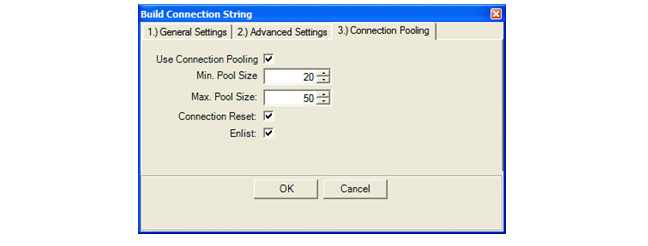
Connection Pooling |
| Use
Connection Pooling |
When set to true,
the SQL Connection object is drawn from the appropriate pool or,
if necessary, is created and added to the appropriate pool. |
| Min.
Pool Size |
The minimum number
of connections allowed in the pool. |
| Max
Pool Size |
The maximum number
of connections allowed in the pool. |
| Connection
Reset |
Determines whether
the database connection is reset when being removed from the pool.
Setting to false avoids making an additional server round-trip
when obtaining a connection, but the programmer must be aware
that the connection state is not being reset. |
| Enlist |
When set to true,
the pooler automatically enlists the connection in the creation
thread’s current transaction context. |