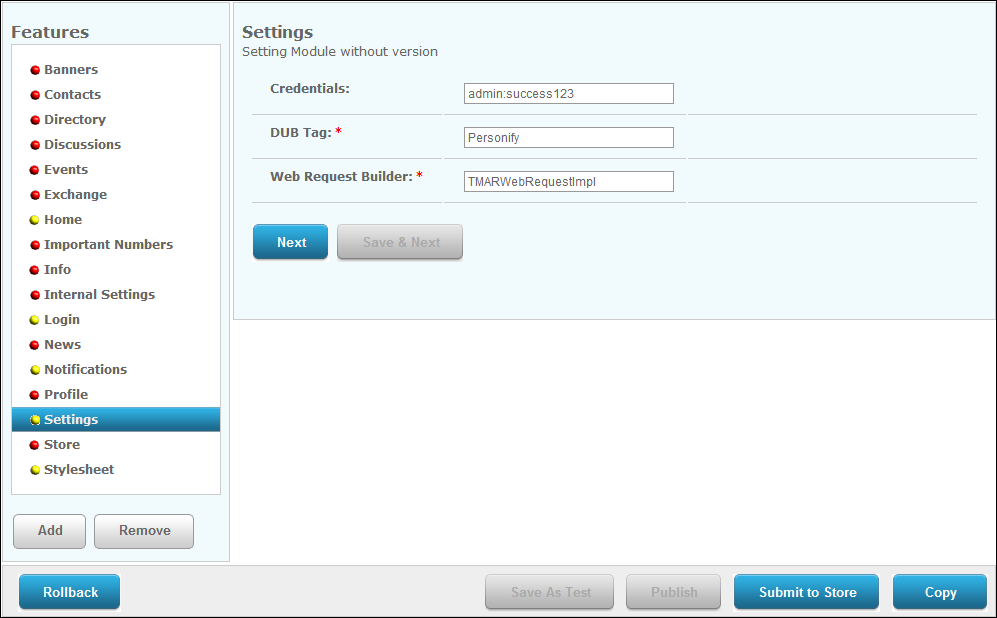
The Settings screen displays, as shown below.
In order for the Personify Mobile Application to pull information from your Personify database, the proper Personify database information must be configured via S3.
To update the Personify database username and password:
1. From
the S3 Mobile Apps Detail screen, click Settings from
the Options menu on the left.
The Settings screen displays, as shown below.
2. In the Credentials field, enter your Personify database username and password.
 The username
and password should be separated by a colon in the following format: [username]:[password].
For example, admin:admin123.
The username
and password should be separated by a colon in the following format: [username]:[password].
For example, admin:admin123.
3. Click Save.