A confirmation message displays, as shown below.
After you have successfully tested and approve your changes, you must publish the changes.
To publish the changes made to your mobile application via S3:
1. Ensure that you have filled out all the required fields and clicked the Save button on each page in which you made changes.
2. Click
the Publish button.
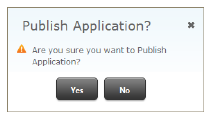
A confirmation message displays, as shown below.
3. To
publish the changes, click Yes.
The Publish Mobile Application screen displays, as shown below.
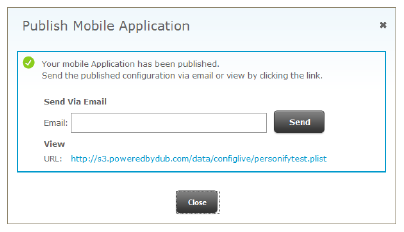
4. Enter an Email and click Send to send the live URL to the appropriate person.
5. Save
the live URL on your server.
You can save the URL from the email sent in the step above, from the screen
above, or click the Publish URL
at the top of the S3 screen: