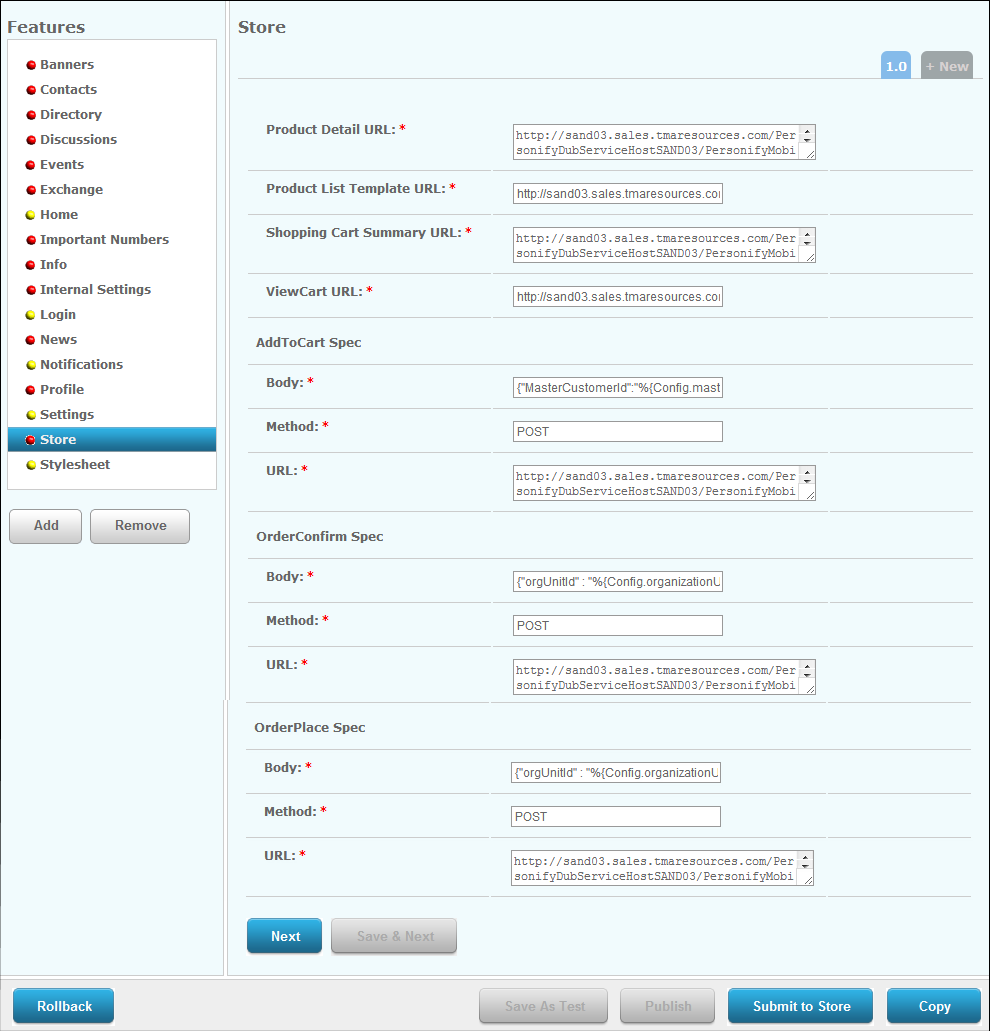
The Store screen displays, as shown below.
To configure the Store module:
1. From
the S3 Mobile Apps Detail screen, click Store
from the Features menu on the left.
The Store screen displays, as shown below.
2. Enter
the Product Detail URL. Fill in
the information in red brackets below with the location of your "Product"
web service.
https://[resource1.tmaresources.com/PersonifyMobileWebService/personifymobilesvc.svc]/Product?pid=%{productID}
3. Enter
the Product List Template URL.
Fill in the information in red brackets below with the location of your
"ProductList" web service.
https://[resource1.tmaresources.com/PersonifyMobileWebService/personifymobilesvc.svc]/ProductList?oid=%{Config.organizationId}&ouid=%{Config.organizationUnitId}&p=%{pageSize}&n=%{pageOffset}&pc=%{productClass}&staff=%{Config.isStaff}&member=%{Config.isMember}
4. Enter
the Shopping Cart Summary URL.
Fill in the information in red brackets below with the location of your
"ShoppingCartSummary" web service.
https://[resource1.tmaresources.com/PersonifyMobileWebService/personifymobilesvc.svc]/ShoppingCartSummary?oid=%{Config.organizationId}&ouid=%{Config.organizationUnitId}&scid=%{Config.subCustomerId}&mcid=%{Config.masterCustomerId}
5. Enter the View Cart URL.
6. From
the AddToCart Spec section, enter the Body,
Method, and URL.
For the URL, fill in the information in red brackets below with the location
of your "Add2Cart" web service.
https://[resource1.tmaresources.com/PersonifyMobileWebService/personifymobilesvc.svc]/Add2Cart
7. From
the OrderConfirm Spec section, enter the Body,
Method, and URL.
For the URL, fill in the information in red brackets below with the location
of your "OrderConfirm" web service.
https://[resource1.tmaresources.com/PersonifyMobileWebService/personifymobilesvc.svc]/Orderconfirm?
8. From
the OrderPlace Spec, enter the Body,
Method, and URL.
For the URL, fill in the information in red brackets below with the location
of your "OrderPlace" web service.
https://[resource1.tmaresources.com/PersonifyMobileWebService/personifymobilesvc.svc]/OrderPlace?
9. Click Save.