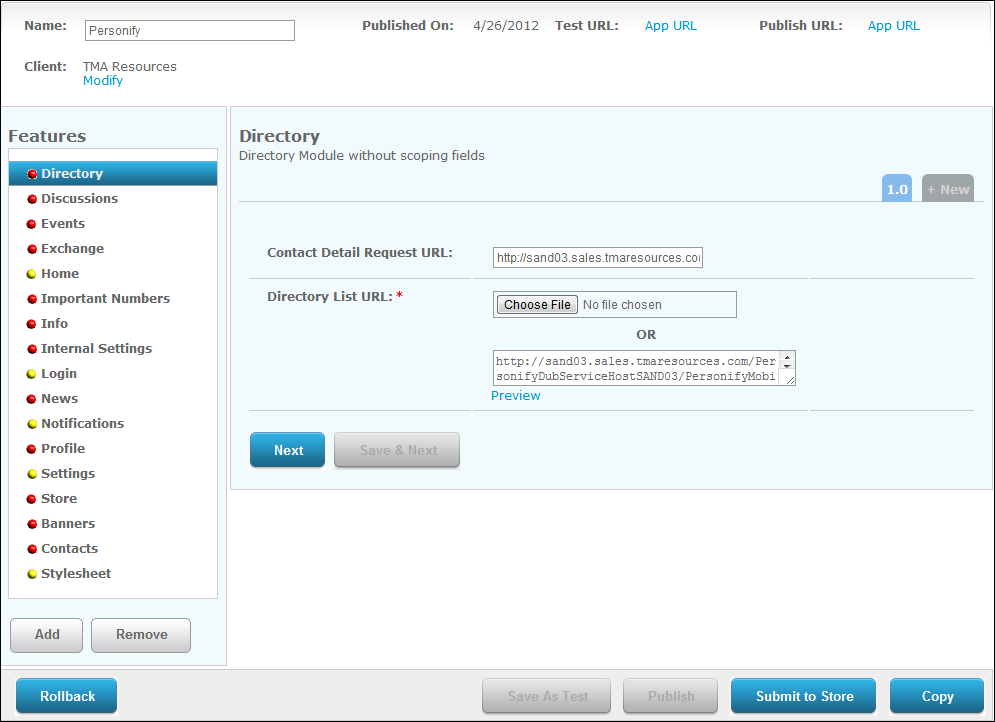
The Directory screen displays, as shown below
The Directory module allows users to search through other user profiles entered in the Personify database.
To configure the mobile Directory module:
1. From
the S3 Mobile Apps Detail screen, click Directory
from the Features menu on the left.
The Directory screen displays, as shown below
2. Enter
the Contact Detail Request URL.
Fill in the information in red brackets below with the location of your
"Profile" web service.
https://[resource1.tmaresources.com/PersonifyMobileWebService/personifymobilesvc.svc/]Profile?%{primaryKey}&rscid=%
{Config.subCustomerId}&rmcid=%{Config.masterCustomerId}&staff=%{Config.isStaff}
3. Click
the Choose File button to search
for the "Directory List URL" or enter it in the field. Fill
in the information in red brackets below with the location of your "Directory"
web service.
https://[resource1.tmaresources.com/PersonifyMobileWebService/personifymobilesvc.svc/]Directory?oid=%{Config.organizationId}
&p=%{pageSize}&n=%{pageOffset}&sterm=%{searchPhrase}&scid=%{Config.subCustomerId}&mcid=%{Config.masterCustomerId}&
ouid=%{Config.organizationUnitId}&staff=%{Config.isStaff}&member=%{Config.isMember}
4. Click Save.