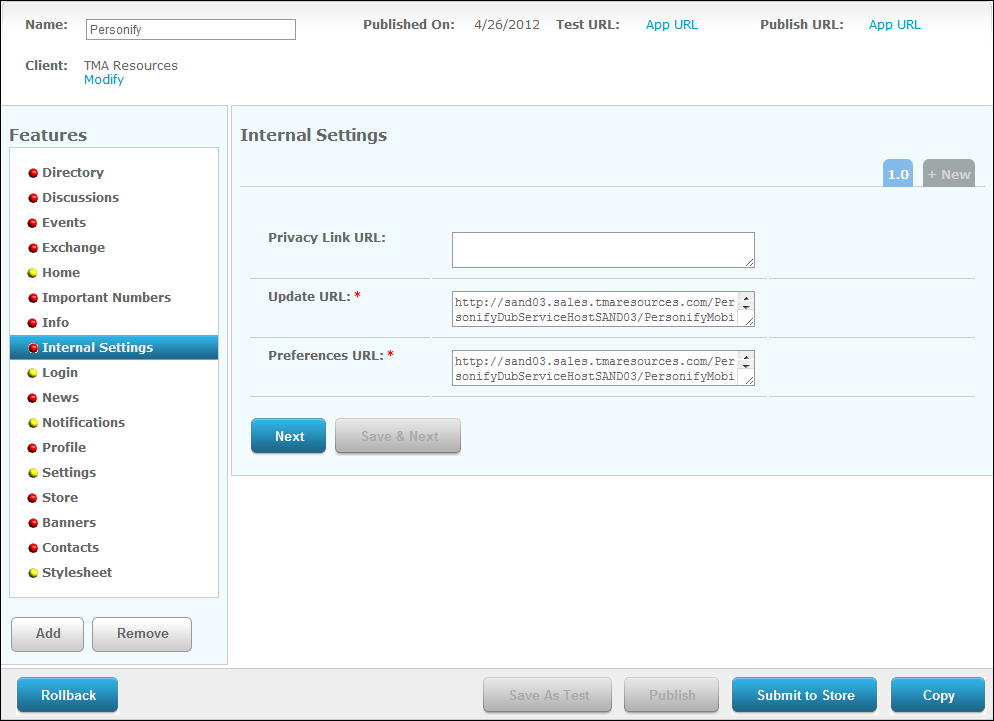
The Internal Settings screen displays, as shown below.
To set up mobile internal settings:
1. From
the S3 Mobile Apps Detail screen, click Internal
Settings from the Features menu on the left.
The Internal Settings screen displays, as shown below.
2. If
necessary, enter the Privacy Link URL.
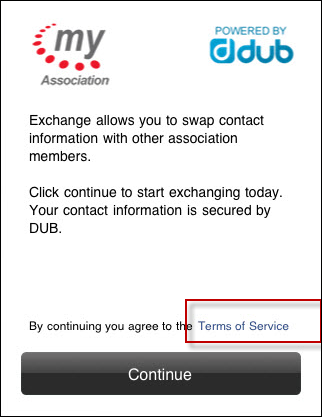
This is the link that will open when the mobile user clicks the "Terms
of Service" link on the Exchange module, as shown below. This link
should open your organization's custom privacy statement.
3. Enter
the Update URL. Fill in the information
in red brackets below with the location of your "SavePreferences"
web service.
https://[resource1.tmaresources.com/PersonifyMobileWebService/personifymobilesvc.svc]/SavePreferences
4. Enter
the Preferences URL. Fill in the
information in red brackets below with the location of your "Preferences"
web service.
https://[resource1.tmaresources.com/PersonifyMobileWebService/personifymobilesvc.svc]/Preferences?oid=%{Config.organizationId}&ouid=%
{Config.organizationUnitId}&scid=%{Config.subCustomerId}&mcid=%{Config.masterCustomerId}
5. Click Save.