The Certifications Current control does not require any additional back office configurations. All data displayed in this control is based off your constituent's information.
The Certification Current control displays a constituent's current certification. See Configuring the Web Settings for the Certifications Current Control for more information on how to drop this control onto a page on your e-Business website.
The Certifications Current control does not require any additional back office configurations. All data displayed in this control is based off your constituent's information.
After setting up the Certifications Current control, your user will see the control similar to the one displayed below.

Certification have a certification end date. If you wish to create a certification that does not have an end date, the control will have to be customized.
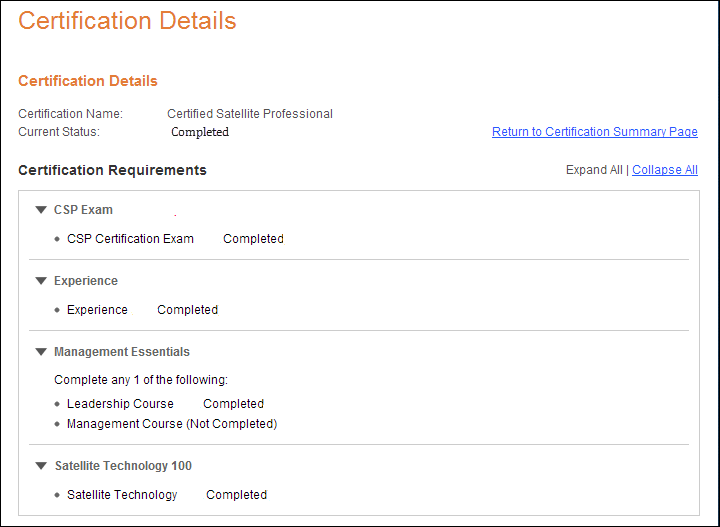
When your constituent clicks on the Certification Program link, it directs your constituent to the view more details page about his/her current certification.
If the user clicks the "Expand All" hyperlink, the user is able to see his/her certification details, as shown below.