The Reporting web module available in the Personify eBusiness application allows you to view BusinessObjects reports on your websites.
Please see Configuring the Reporting Web Module for instructions on configuring the Reporting web module and selecting the viewable reports.
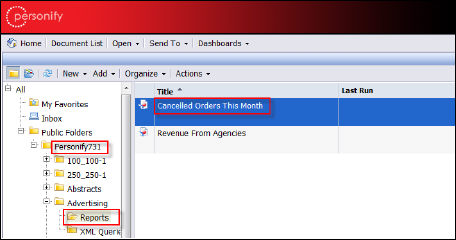
To select a report to view in eBusiness, you need to enter the Report Name with Path. You can determine the Report Name with Path by looking at the hierarchal menu you use to select the saved report in Data Analyzer.
For example, the Report Name with Path for the report
All Orders below would be:
Personify731/Advertising/Cancelled Orders This Month