You save the universe information as an Adobe PDF file. You can save the same information that you can print out for a universe. This information includes:
· General information: parameters, linked universes, and the graphical table schema.
· Component lists: lists of components in the universe including objects, conditions, hierarchies, tables, joins, and contexts.
· Component descriptions: descriptions for the objects, conditions, hierarchies, tables, joins, and contexts in the universe.
You can select what components that you want to appear in the PDF from the Print Options dialog box (Tools > Options > Print). These options are described in the section Setting Print Options.
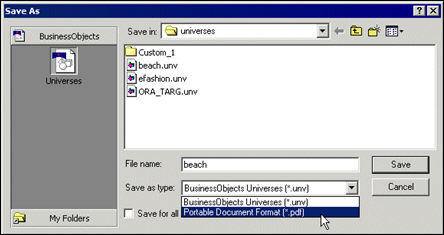
To save universe information as a PDF file:
1. Select File > Save As.
2. Select
portable Document Format (PDF) from the Save as type drop down list box.
3. Click Save.