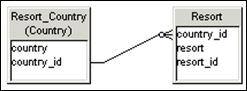
In the example below, you want to return all values for Resort_Country.
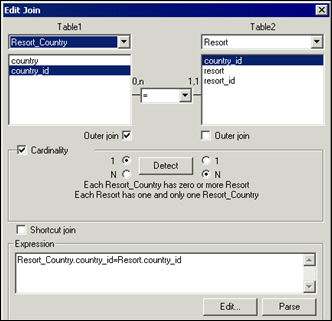
To create an outer join:
1. Double
click an existing equi-join.
The Edit Join dialog box appears.
2. Select
the Outer Join check box for the table that returns all values in a query.
In the example below, you want to return all values for Resort_Country.
3. Click the Parse button to validate the join syntax.
4. If you receive an error message, check to see that you selected the columns correctly.
5. Click
OK.
Designer displays the join in the Structure pane. The outer join is indicated
by a small circle on the opposite side of the join to the table that returns
unmatched values.