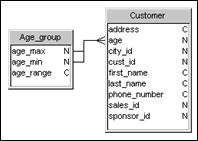
The example below shows the two columns age_min and age_max selected. The Between operator automatically appears in the operator drop-down list.
To create a theta join using range columns:
1. Create
a join between two tables.
An equi-join is created by default.
2. Double
click the join.
The Edit Join dialog box appears.
3. Click a column in the Table1 column list box.
4. Press
and hold down the CTRL key and click two columns from the Table2 column
list box.
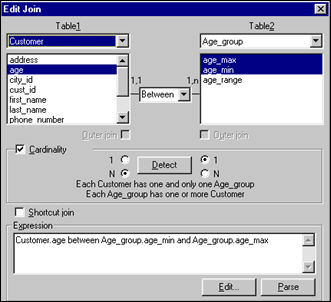
The example below shows the two columns age_min and age_max selected. The
Between operator automatically appears in the operator drop-down list.
5. Click the Parse button to test for the validity of the join.
6. If you receive an error message, check to see that you have correctly selected the columns.
7. Click
OK.
The join is created in the Structure pane.