PSM001 - User Maintenance
Even with the integration of Business Objects technology, security is integrated with Personify User Group security.
The system administrator (or IT department) controls security management, which provides granular control of data access at all levels. The administrator or IT department can also control which user groups have access to specific reporting features. In order to prevent overuse of system resources or runaway queries, they can also monitor system usage.
You can control security within the Personify application using the following screens:
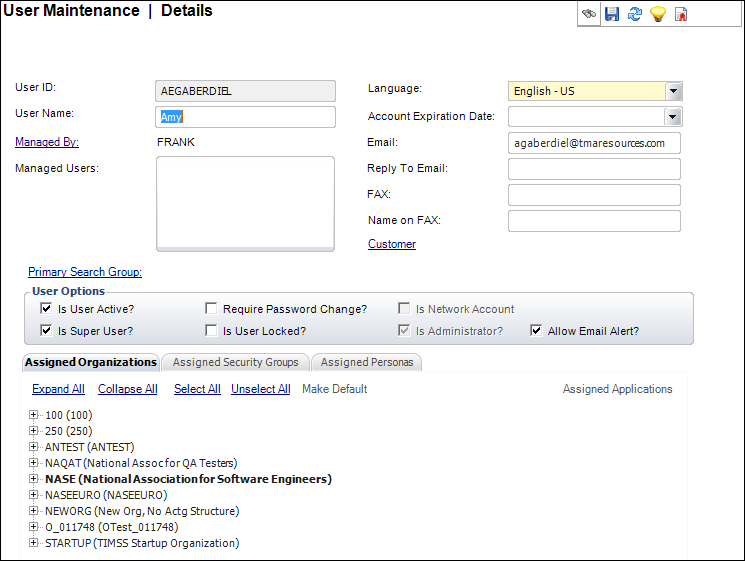
PSM001 - User Maintenance
When a user is created or modified in Personify, Personify will transmit the changes automatically to BusinessObjects if the environment is configured.
PSM002 - Security Group Maintenance
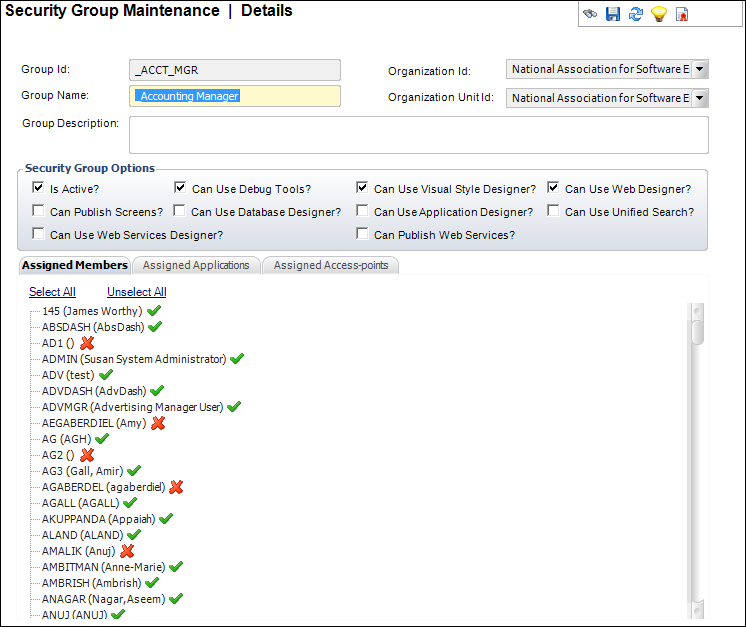
When a group is created or modified in Personify, the system will transmit the changes to Business objects if the environment is configured.
The user group relationship are transmitted to the BusinessObjects system.
PSM002 - Security Group Maintenance (Assigned Applications tab)
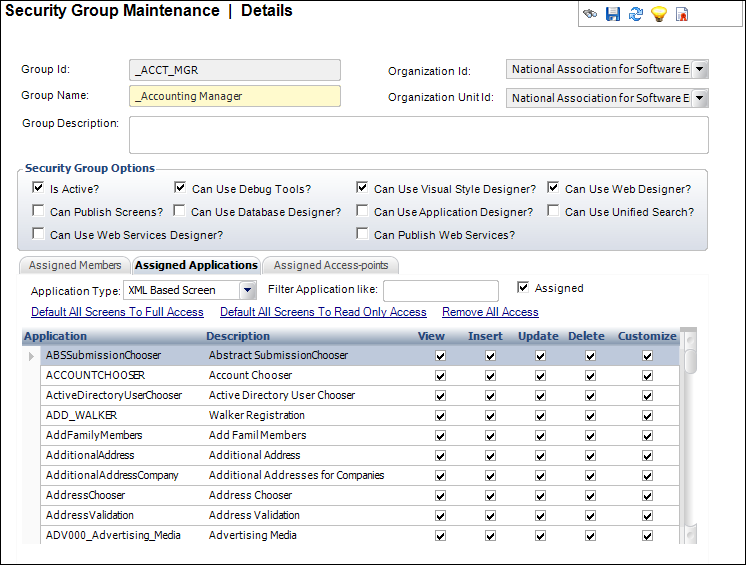
Upon saving the privileges, the privilege assignments are transmitted to BusinessObjects Server.
These three screens communicate with BusinessObjects in order to propagate security information from Personify.