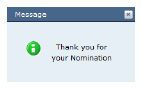
When the user has completed each step in the nomination process, they must click Submit to submit the nomination for review. If the user successfully submits the online nomination, a confirmation message will be displayed.
You association can customize this message by modifying the A01.xml form.
 If
a user abandons their work for more than 20 minutes, the web session will
timeout and display an error. It is recommended that your association
change the default timeout value from 20 minutes to 4 hours. This is a
global setting that can be changed in the web.config file (see below in
bold):
If
a user abandons their work for more than 20 minutes, the web session will
timeout and display an error. It is recommended that your association
change the default timeout value from 20 minutes to 4 hours. This is a
global setting that can be changed in the web.config file (see below in
bold):
<sessionState
mode=“Off|InProc|StateServer|SQLServer”
cookieless=“true|false”
timeout=“number of minutes”
stateConnectionString=“tcpip=server:port”
sqlConnectionString=“sql connection string”
stateNetworkTimeout=“number of seconds”/>