This
process uses the financial accounts defined for the product and cannot
be changed without changing the product setup.
This
process uses the financial accounts defined for the product and cannot
be changed without changing the product setup.
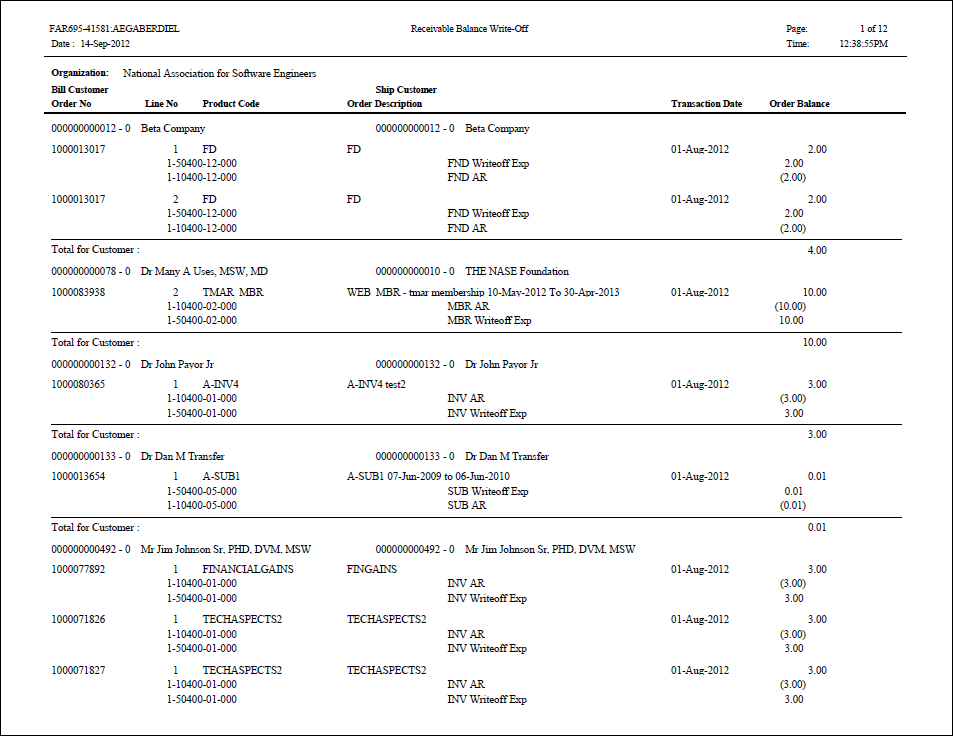
This batch process automatically writes off positive or negative balances for orders, which meet certain qualifications, including the age of the order and the amount of the balance remaining on the order (actually at the order line level). Typically, you use this to write off small balances that are not worth the cost of formal invoicing or refund.
This
process uses the financial accounts defined for the product and cannot
be changed without changing the product setup.
From a technical standpoint, writing off an order balance means the creation of a type 5 transaction in FAR_TXN table for the qualified order lines and also the creation two transactions in the FAR_TXN_DETAIL table for each type 5 transaction using AR and either Writeoff_Account or unearned_income_Account.
All order lines selected must be invoiced and posted (FAR_TXN.invoice is not null) before FAR695 can deal with them.
TMA
Resources recommends that you do NOT run this process to write-off unapplied
receipts. Instead, it is recommended that you refund the amount to the
customer or apply the amount to an order for which the customer has a
balance.
| Parameter | Description | Required? |
|---|---|---|
| Run Mode | Mode in which the report runs:
|
Yes |
| Organization | The Organization ID for which the report will be run. The system sets this to the organization ID of the logged in user running the batch process. | Read-only |
| Organization Unit | The Organization Unit ID for which you want to run the report. The system sets this to the organization unit of the logged in user running the batch process. | Read-only |
| Over Pay Cut Off Date | The cut off date for over payment write-offs. Only order lines which do not have any transactions after the specified date will be written off. This date must be on or before the Transaction date. | Yes |
| Max Over Pay Write Off Amt | The maximum over pay write off amount.
|
Yes |
| Under Pay Cut Off date | The cut off date for under payment write-offs. Only order lines which do not have any transactions after the specified date will be written off. This date must be on or before the Transaction date. | Yes |
| Max Under Pay write off amount | The maximum under pay write off amount. | Yes |
| Transaction date | The date that goes on the financial transaction that is created
(to be used in PROD mode), as shown below.
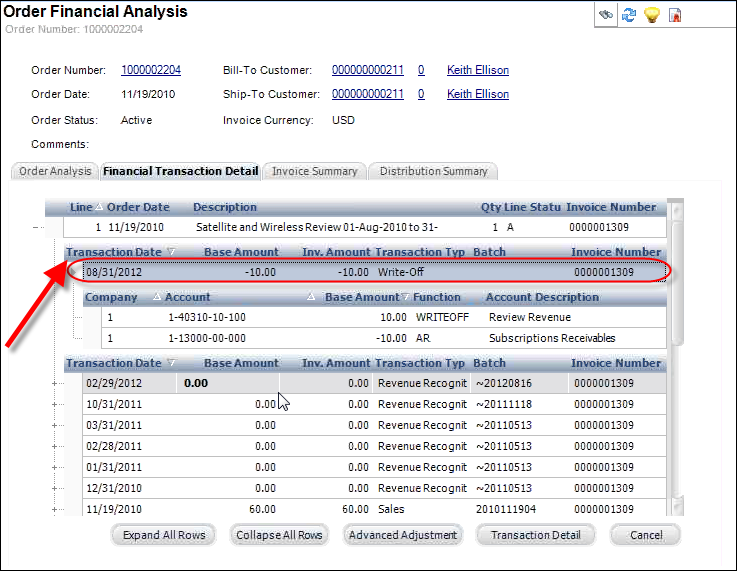
This field display in the FAR695 report, as shown below. 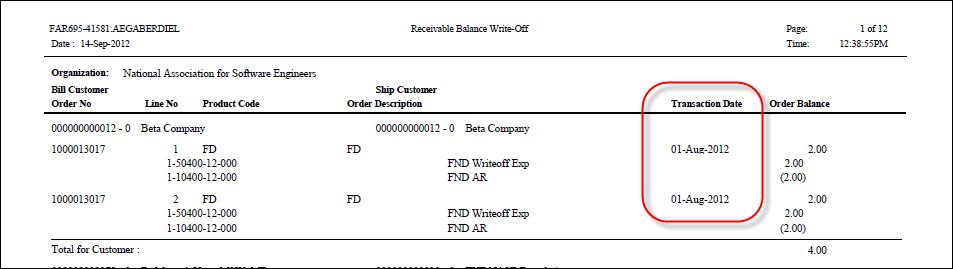
This date must be on or after the Over Pay Cut Off Date and Under Pay Cut Off Date. |
Yes |
| Order Level | This parameter is not currently being used. | Yes |
| Subtitle | The subtitle which will appear on each page. | No |