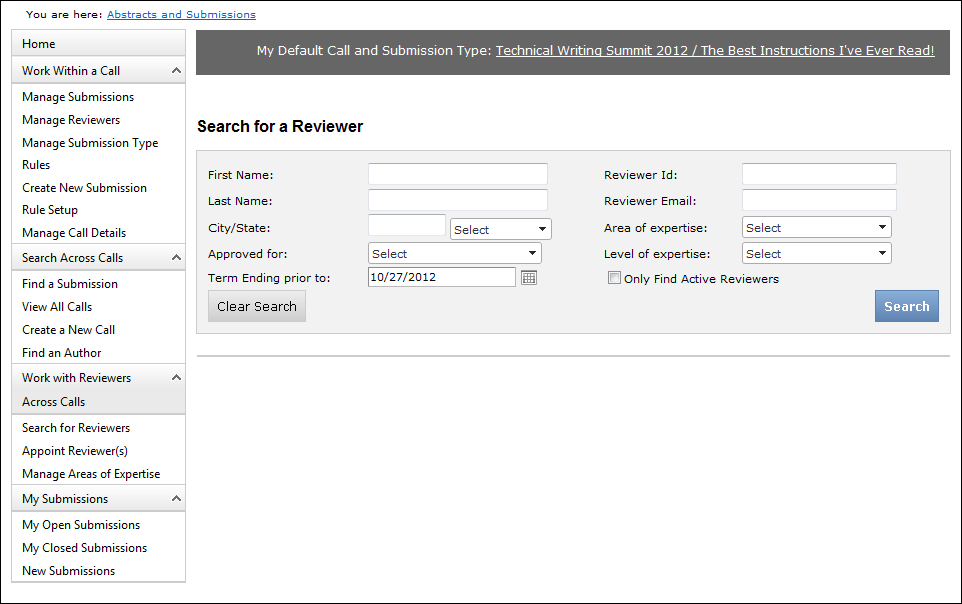
The Search for a Reviewer screen displays, as shown below.
To search for ABS reviewers:
1. From
the ABS Home Page, click Search for Reviewers
from the Work with Reviewers Across Calls task category.
The Search for a Reviewer screen displays, as shown below.
2. Select
the appropriate search criteria and click Search.
See the table below for more information on the available search parameters.
The appropriate results display below, as highlighted below. See the table
below for more information on the search results.
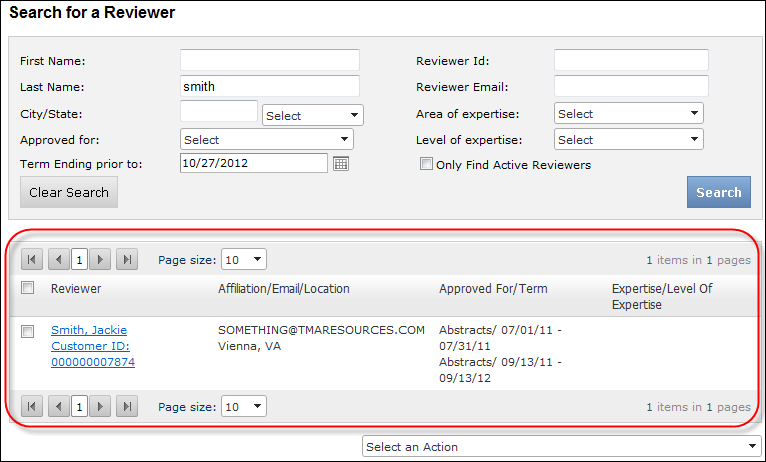
3. From this screen, you can perform the following actions:
a. Assign a reviewer(s) to a call submission
type(s): select the checkbox next to the appropriate reviewer,
and, from the Select an Action drop-down, select Assign
Selected Reviewers to a call submission Type(s). The Add reviewer
to screen displays, as shown below.
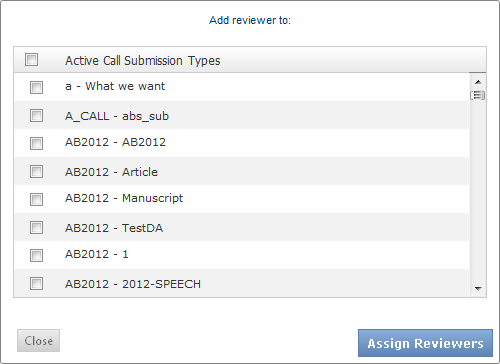
Select the checkbox next to the call submission type(s) to which you want
to assign the selected reviewer(s) and click Assign
Reviewers.
b. Send an email to a reviewer(s):
select the checkbox next to the appropriate reviewer, and, from the Select
an Action drop-down, select Send Email
to Selected Reviewer(s).
The email form displays, as shown below.
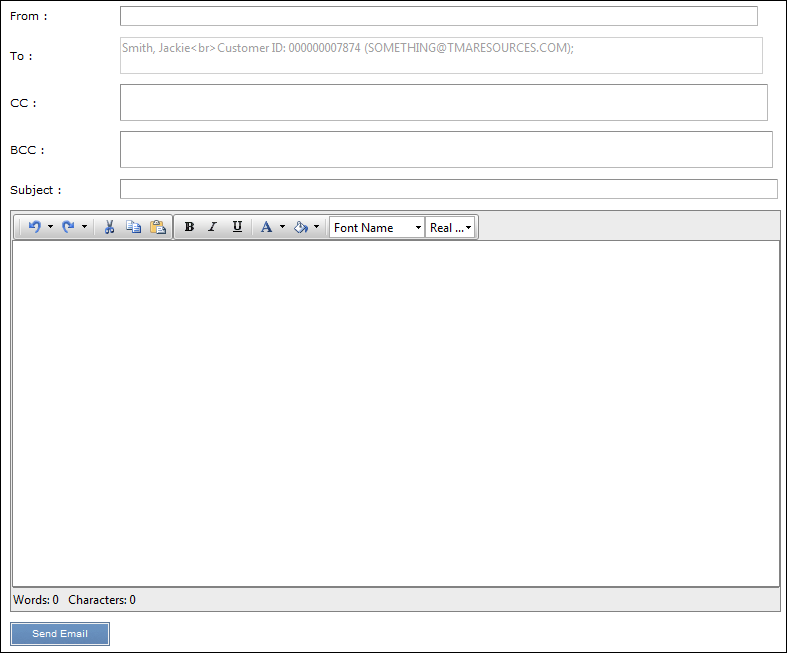
c. Enter the appropriate From, CC, and BCC email addresses, a Subject, and text for the email. Then, click Send Email.