The Work with Submission Type screen displays.
After you have successfully created a submission type, you can assign reviewers to the submission type from the Work with Submission Type page. Reviewers must be assigned to the submission type, before they can be assigned to score submissions submitted to the submission type. Before reviewers can be assigned to the submission type, the REVIEWER_APPROVED_FOR code for the submission type must be defined. For more information, please see Defining the Review Process.
In addition to the requirement that the reviewers' REVIEWER_APPROVED_FOR code must qualify under the submission type REVIEWER_APPROVED_FOR code, the reviewers' start date and end date (if not "Null") must fall outside or equal to the submission type begin and end date.
To assign reviewers to a submission type from the Work with Submission Type screen:
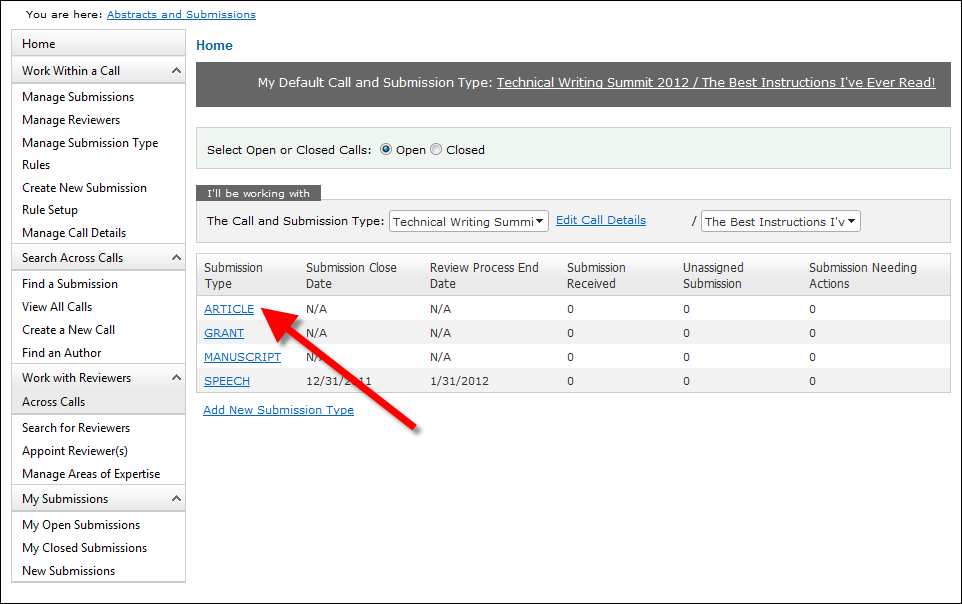
1. From the ABS Home Page, select the appropriate Call and Submission Type from the drop-downs.
2. From
the grid, click the Submission Type
to which you want to assign reviewers, as shown below.
The Work with Submission Type screen displays.
3. Access
the View Reviewers tab, as shown
below.
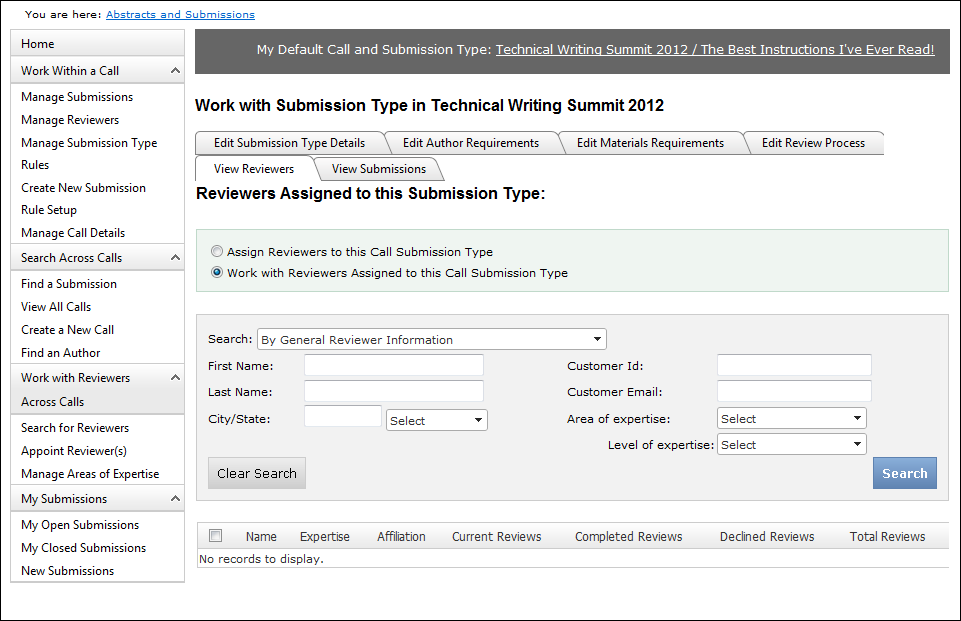
4. Select the Assign Reviewers to this Call Submission Type radio button.
5. Enter
the appropriate search criteria and click Search.
See the table below for more information on the search parameters.
The appropriate search results display below, as highlighted below. See
the table below for more information on the search results.
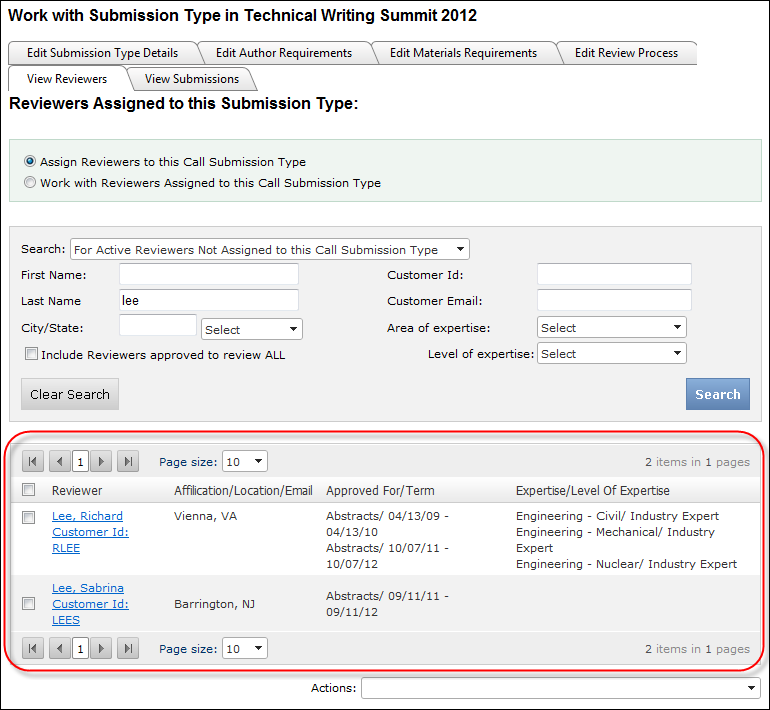
6. Select the checkbox next to the appropriate reviewer(s).
7. From the Actions drop-down, select one of the following options:
· Assign Selected Reviewers to Submission
Type and Send Email: select this option if you want to assign the
selected reviewers to this submission type and send them an email alerting
them of this assignment and/or any other details. The email form displays,
as shown below.
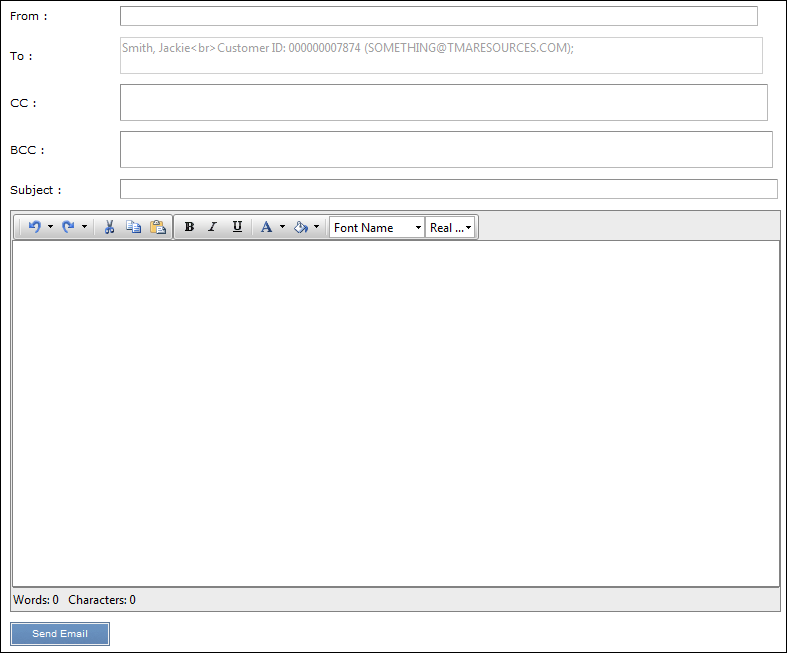
Enter the appropriate From,
CC, and BCC
email addresses, a Subject, and
text for the email. Then, click Send
Email.
· Assign Selected Reviewers to Submission
Type and DO NOT Send Email: select this option if you want to assign
the selected reviewers to this submission type and you do NOT want to
send them an email alerting them of this assignment and/or any other details.
The selected reviewer(s) are assigned to this submission type.
· To view all reviewers assigned to this submission type, select the Work with Reviewers Assigned to this Call Submission Type.
 Alternatively,
administrators can assign ABS reviewers to a submission type from the
Assign Selected Reviewers to a call submission
Type(s) action task on the Search
for Reviewers screen.
Alternatively,
administrators can assign ABS reviewers to a submission type from the
Assign Selected Reviewers to a call submission
Type(s) action task on the Search
for Reviewers screen.