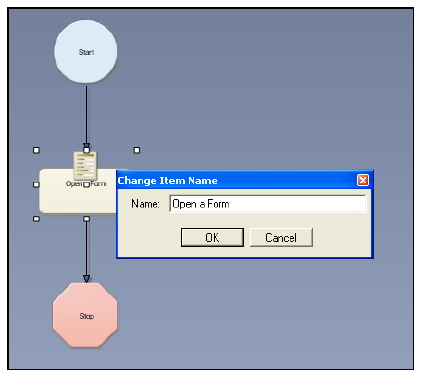
The Change Item Name window displays.
All Workflow Objects come with a default name, such as Send an Email or Create an Order. When creating your workflows and adding multiple Workflow Objects of the same command, you may want to specify a more unique name for each command icon, so you can easily identify which command it is without having to open the command rule.
To rename a workflow object name:
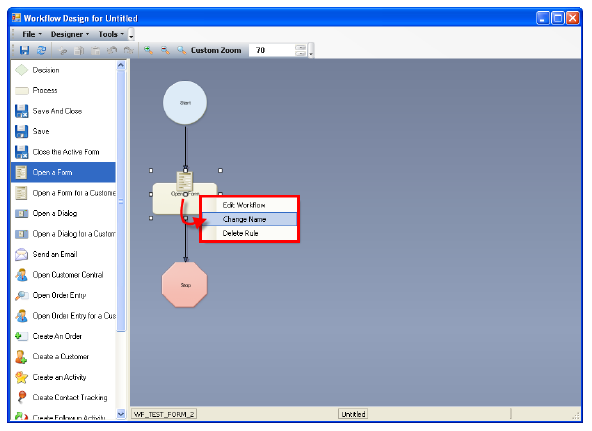
1. After
dragging the workflow object onto your workflow canvas, right-click it
and select Change Name.
The Change Item Name window displays.
2. Change the name as desired, and click OK.
 If
you leave the command icon's name blank and save your workflow, the next
time you open the workflow in the Designer, the command icon's name defaults
to the original command icon's name and number of the icon depending on
how many other times you've added that same icon to your workflow (e.g.
OpenaForm2).
If
you leave the command icon's name blank and save your workflow, the next
time you open the workflow in the Designer, the command icon's name defaults
to the original command icon's name and number of the icon depending on
how many other times you've added that same icon to your workflow (e.g.
OpenaForm2).