This package installs and registers the appropriate APIs necessary for Personify to process payments through CyberSource.
To install the CyberSource API:
1. Locate the Payment Handler\CyberSource folder in the installation package.
2. Double-click the simapi-net-2.0-5.0.2.msi file.
3. When you double-click the msi file, you may get a warning message pop-up with the title “Open File – Security Warning.”
4. Click Run to start the installation.
5. The
InstallShield Wizard for CyberSource Simple Order API displays.
Click Next to continue the installation.
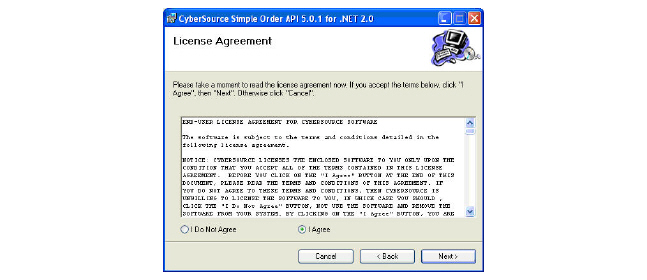
The License Agreement screen displays.
6. Select
the I agree radio button
and click Next.
7. The
API Release Notes display.
Click Next to continue the installation.
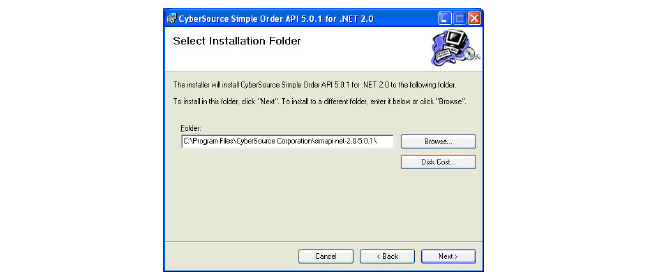
8. Either
enter the location of the destination folder, click Browse to
navigate to the desired folder, or click Next
to install the files in the default folder.
9. On the confirmation screen, click Next to continue the installation.
10. Click Close to complete the installation.
 These
same steps must be run in the server where the TRS interface service is
installed.
These
same steps must be run in the server where the TRS interface service is
installed.