 You
can only create one brief description record per language for each product.
You
can only create one brief description record per language for each product.
This description displays in the Product Listing Web module.
You
can only create one brief description record per language for each product.
To add a brief description:
1. Click
Brief Description from the
eBusiness Links task category.
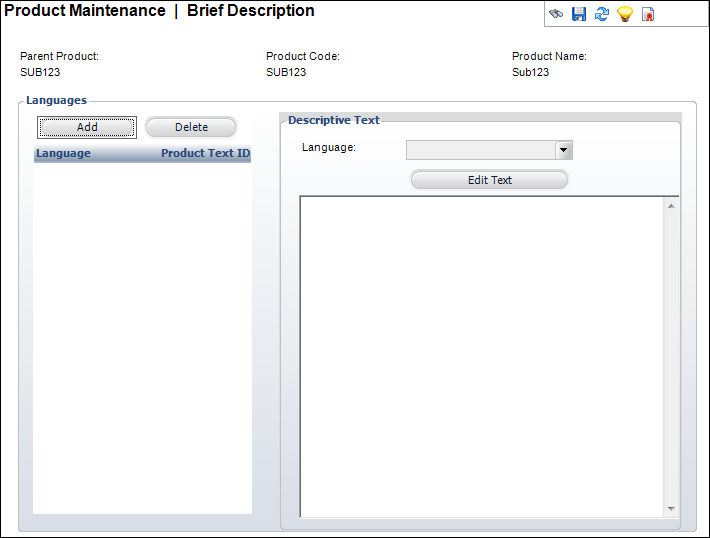
The Brief Description screen displays, as shown below.
2. Click
Add.
An HTML Editor Dialog box displays.
3. Enter
any HTML text or graphics in the text box.
You can also click the Code Window radio button to enter your description
in HTML code.
4. Select the Language from the drop-down.
5. Click Save.
| Screen Elements | Description |
|---|---|
| Add | Button. When clicked, a row is added to the Languages table and the corresponding fields are enabled to add a language and description. |
| Delete | Button. When clicked, the highlighted row from the table and the information entered in the Languages and Brief Description Text fields are deleted. |
| Language | Drop-down. Identifies the language of the text. This allows descriptive text to be shown on the website based on the language of the customer. Values are populated based on the options defined on the Language Maintenance (APP004) screen. |
| Edit Text | Button. When clicked, opens the HTML Editor Dialog window. This allows you to edit any previously created descriptions. |
| Brief Description Text | Text box. Text describing the product. This field can include HTML tags. This text displays on the website. |