Viewing Market Code Analysis
The Marketing Analysis screen enables ad-hoc analysis of the results
from one or more marketing lists. The marketing analysis concerns itself
with the end result without considering how Personify arrived at the result.
Rather than trying to generate the results for analysis by looking at
the various order tables, Personify stores the results in a separate database
table so that the database table can be populated with information from
order and non-order systems, particularly from the contact tracking subsystem.
Personify determines the number of responses returned from a given list
and potentially the dollar volume in sales.
To view the market code analysis:
1. From
the toolbar, select Marketing & Communication
> Market Code Definition.
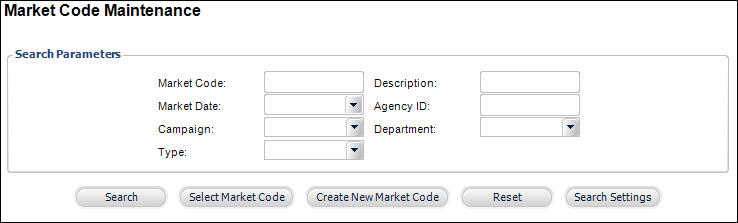
The Market Code Maintenance search screen displays, as shown below.
2. Search
for the appropriate market code and click Select
Market Code.
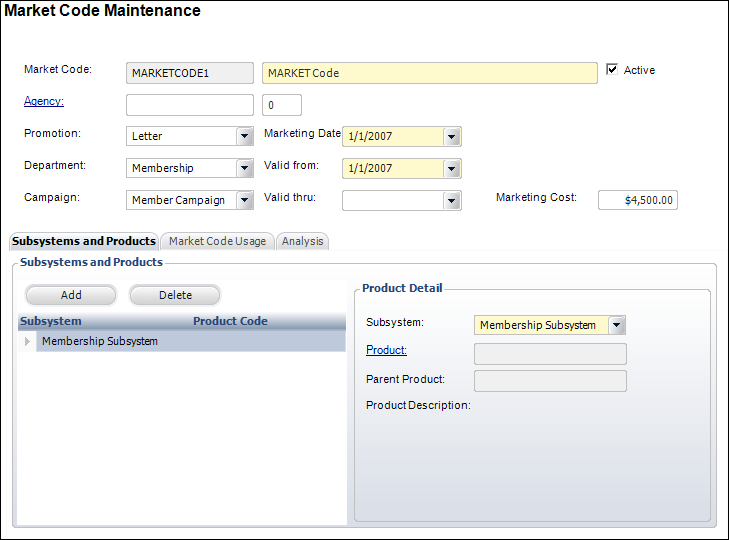
The Market Code Maintenance screen displays, as shown below.
3. Access
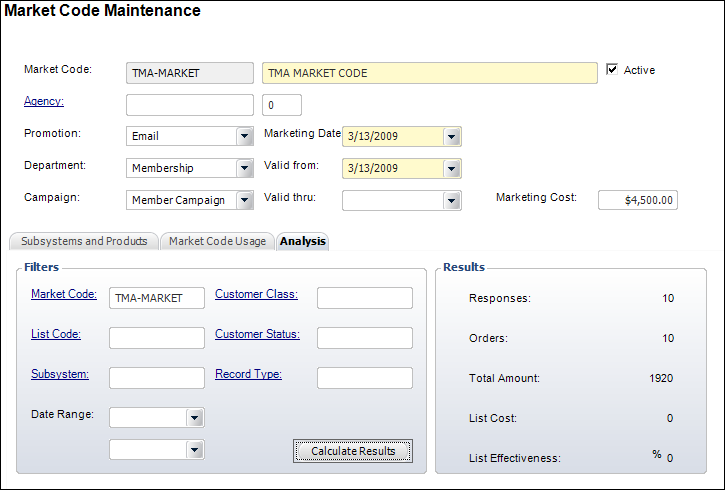
the Analysis tab, as shown below.
4. Specify
the filter criteria with which you wish to calculate the results.
5. Click
Calculate Results.
The Results section displays the calculated information.
| Screen Element |
Description |
| Market Code |
Link. The specific market code involved in the ad-hoc analysis.
Personify uses market codes in the Order Entry screen to record
responses to specific list codes. For a closer analysis, you can
have market codes that have nothing to do with lists but at the
same time use a structure to allow capturing of a list code with
a market code. The market code can also be restricted to a subsystem
or a particular product. |
| List Code |
Link. Personify assigns a list code to a specific group of
customers and prospects. The list code helps determine if a person
from a specific list responds to a specific appeal. Personify
utilizes the list code to perform an ad-hoc analysis of the results
from one or more lists. |
| Subsystem |
Link. The name of the subsystem involved in the ad-hoc analysis.
Personify filters the analysis by subsystem in case a restriction
on the market code to a specific subsystem exists. |
| Customer Class |
Link. This filters records against the customer database table
for a specific customer class. |
| Customer Status |
Link. This filters the Customer database table by the status
of the customer. |
| Record Type |
Link. This filters the customer database table by the type
of record. |
| Date Range |
Drop-down. This filters the ad-hoc analysis to a date range. |
| Calculate Results |
Button. Based on the selection criteria entered into the filters,
Personify will calculate the number of responses, number of orders,
total amount, list cost, and list effectiveness percentage. |
|