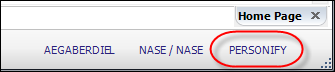
This text displays the user database name of the current logged in user.
You can change the database you are currently logged in as by clicking the Database text and selecting a different database. In order to do so, you must close all open screens before you can perform the above actions. The Database Name will appear in the bottom right of Personify, as displayed in the image below:
Clicking on the database name will display a list of other Personify databases that are available in the Installation database. The T_##_Database table in Personify_Installation database contains this data. There is also an entry for other Personify databases in Installation.xml document. Once you have the entries in the database and XML file, then the user will see a list of available Personify databases that are available for the association the user belongs to.