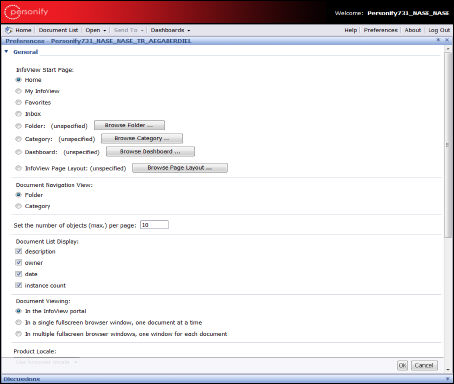
The Preferences page displays, as shown below.
Data Analyzer allows you to set preferences from the InfoView home page. This is helpful, for example, if you want to determine how each Webi document should appear when you generate it or if you are working with the sample reports.
To start setting preferences:
1. From
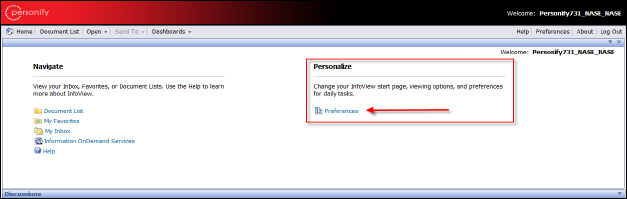
the Infoview home page in the Personalize section, click Preferences.
The Preferences page displays, as shown below.
2. Set
preferences as desired.
The Preferences window has four tabs that allow you to set how the Data
Analyzer portal functions or appears.
· General – allows you to determine how the Reports portal displays when you launch Data Analyzer and other user interface settings.
· Web Intelligence – allows you to set the default display format, editing options, and drilling options for your Webi documents or reports.
· Desktop Intelligence – allows you to set the default display format for your desktop. By default, it is Web.
· Crystal Reports – allows you to set the default display format and printing options for your Crystal reports.
· Dashboard and Analytics – allows you to set the default style for creating dashboards, browsing options, and display options for your dashboards.
 For
more information on setting preferences, please refer to the BusinessObjects
Enterprise XI 3.1 SP5 InfoView User’s Guide on the BusinessObjects site.
For
more information on setting preferences, please refer to the BusinessObjects
Enterprise XI 3.1 SP5 InfoView User’s Guide on the BusinessObjects site.