 This is very important as you will not be able to upload universes unless you select a valid connection.
This procedure allows you to upload universes that are connected with the respective TRS, Online and Webi Reports.
To upload universes:
1. On the main menu at the top of the screen, click Publish Universe.
2. Prior to uploading the universes, have your System Administrator or DBA create ODBC connections that can be used by the universes. For 64-bit servers, you must create the ODBC using C:\Windows\SysWOW64\odbcad32.exe.
This is very important as you will not be able to upload universes unless you select a valid connection.
3. Select the connection from the Select Connection drop-down.
4. Use the explorer style window under Select Universe Files to browse to the correct folder in the screen below.
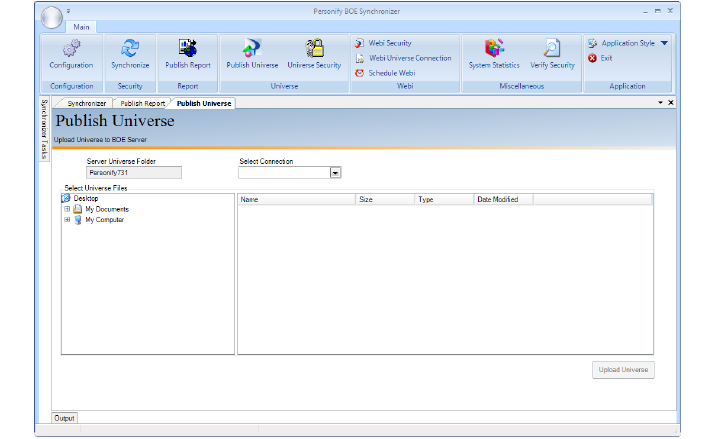
5. Select one or more universes.
6. Click Upload Universe.
Once the universes have been uploaded using this tool, it will basically delete the respective .unv files from your local drive.