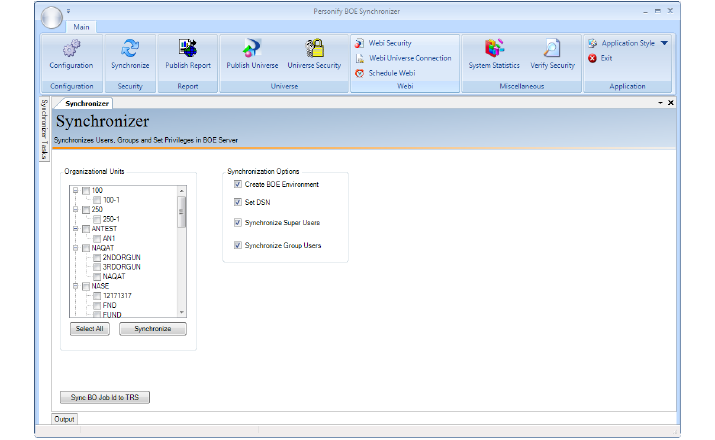
The following steps are for use in a fresh installation.The following procedure is usually done the first time you log in after installation.
To synchronize with BusinessObjects:
1. Launch the application and enter your username and password.
The database and server fields should already be populated.
2. Click OK.
3. On the Main menu at the top of the screen, click Synchronize as shown below.
4. On the left side of the screen under Organizational Units, select one or more Org Units to which you wish to apply the synchronization options.
5. On the right side of the screen under Synchronization Options, select which options you wish to invoke.
6. Click Synchronize.
The process begins and its status is shown under Processing Status. The output log, displayed in the Output window, provides details about the synchronization process.