The Properties window displays as shown above.
This Crystal Reports Processing Server change is required to run crystal reports created from stored procedures.
To implement the Crystal Reports Processing Server change:
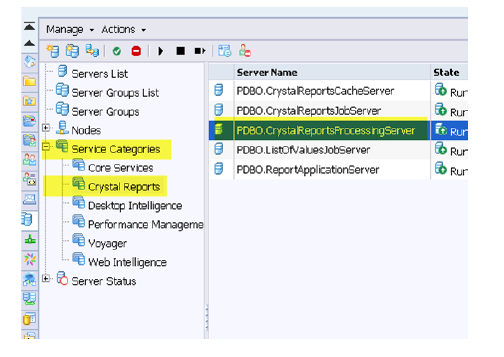
1. Log into the CMC.
2. Go to “Servers.”
3. Locate the Crystal Reports Processing Server from the Service Categories > Crystal Reports menu.
4. Right-click and select Properties for this server.
The Properties window displays as shown above.
5. At the end of the “Command Line Parameters” text box, add a space after the last character and copy and paste the following text after the space:
-procreportoptions __noverifydatabase

6. Restart the Crystal Reports Processing Server.