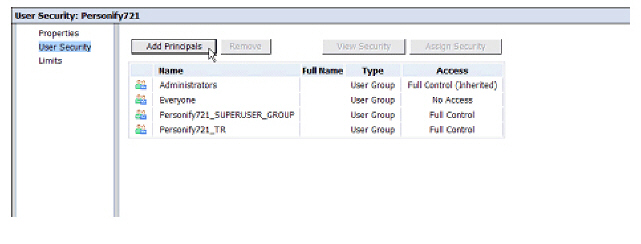
To grant the Admin User Full Control of the client folder:
1. From the CMC homepage, click Folders.
2. Click your client folder.
3. Select Manage > User Security.
4. Click Add Principals as displayed below.
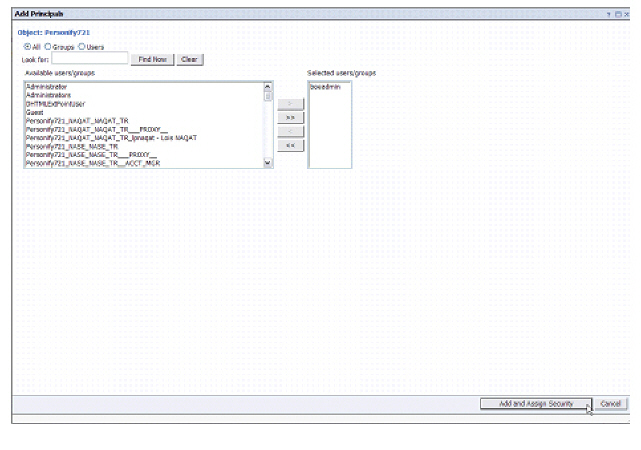
5. Select the appropriate user, move it to the right-hand side of the screen, and click Add and Assign Security as shown below.
6. From the Available Access Levels section, select Full Control and move it to the right-hand side of the screen as shown below.
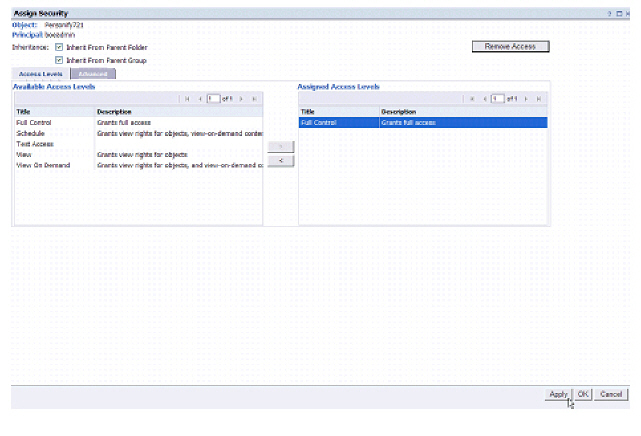
7. Click Apply and then click OK.
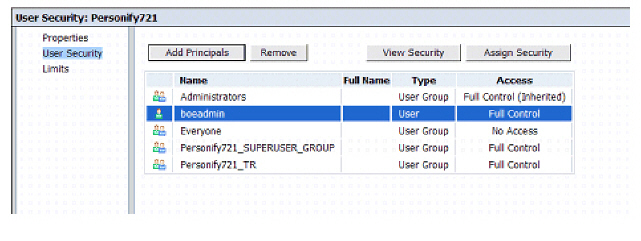
The user group now has Full Control access as shown in the following image.
8. Repeat the same steps for the Client Environment Report folder.