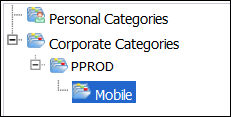
1. Launch Data Analyzer from Personify and navigate to the Mobile reports folder in your environment folder
2. Highlight a report, then right-click and select Categories.
3. Select
Mobile under the environment folder
category you created (e.g., PPROD ).
4. Click OK.