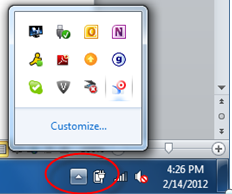
To configure the BI widget:
1. Once you have successfully installed the BI widget, from your computer's toolbar, click the up arrow, as shown below.
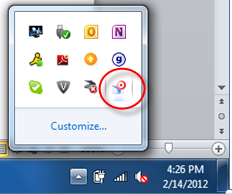
2. Right-click the BI widget (highlighted below) and select Host and Login Preferences.
The Credentials screen displays, as shown below.
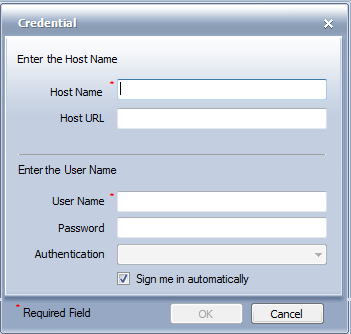
3. Enter your credential information and click OK.
 Every time you start your computer, you will need to startup the widgets. To start widgets, select your windows button (start button) at the bottom left corner of your screen and select BI widgets. It will authenticate you and tell you that login was successful. Any widgets that you had setup to on your desktop will display once you are logged in.
4. To logout, right-click on the BI widget icon in your system toolbar and select Quit BI Widgets.