Once the configuration batch file copied the Data Analyzer image files to their correct location, you still need to deploy those image files on the BusinessObjects application.
To deploy the Data Analyzer image files:
1. Log into the Configuration Management Console (CMC)
2. Configure the Data Analyzer images by selecting CMC > Applications.
3. Right-click Infoview and select “Properties”.
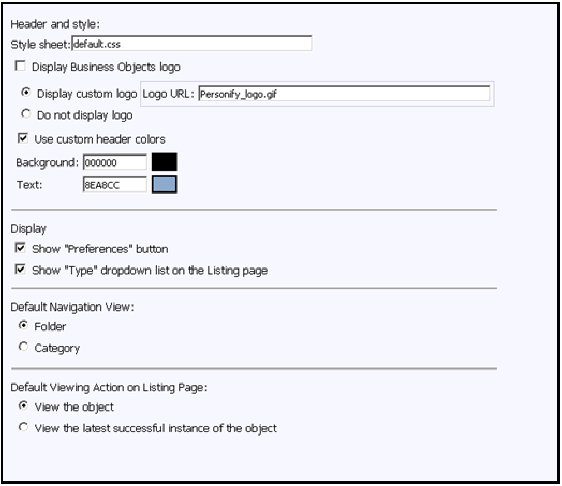
4. Update settings as per below image:
5. Click Save and Close on the Properties form to save your changes.