Each customer receives one Named User License (NUL) and as many Concurrent Access Licenses (CALs) as needed. Receiving only one NUL eliminates any license issues when viewing operational reports or viewing/submitting TRS reports.
To apply and assign the NUL:
1. Log into the CMC and click License Keys.
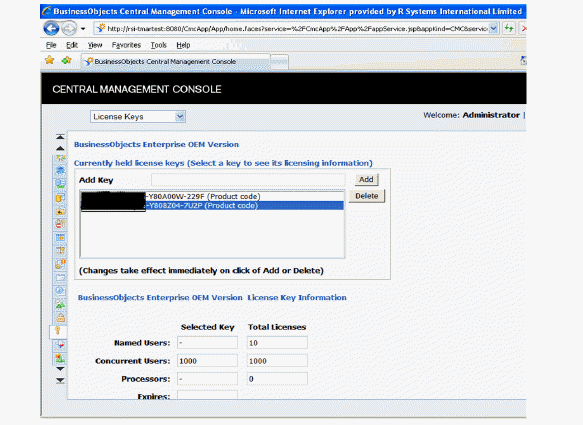
2. In the Add Key field, enter the license key.
3. Click Add, as displayed in the following image.
 Make sure the named user license count appears in the Named User and Total Licenses field.
This section blocks out the first part of the license keys in the image above for security purposes. It does not appear this way on your application screen.
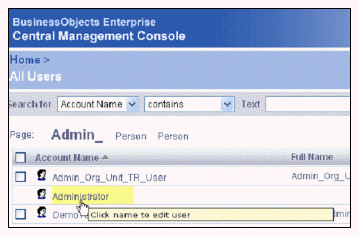
4. From the CMC homepage, click Users and Groups.
5. Select the Proxy User (CLIENTADMINUSER) you already defined on the Application Interface (APP014) screen.
The example shown below is the Administrator.
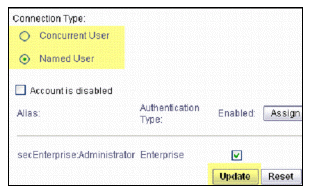
6. Select the “Named User” radio button and click Update, highlighted below.
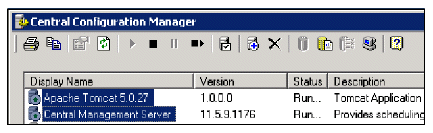
7. Open the Central Configuration Manager and restart the Apache Tomcat and Central Management Server services, shown below.