The Product Maintenance screen displays, as shown below.
An organization may choose to elect certain publications for BPA auditing.
These steps need to be performed for each subscription product to be audited.
To enable BPA auditing for specific publications:
1. From the toolbar, select Subscriptions > Subscription Product Setup.
2. Perform a query and select the publication
for which you want to set up BPA auditing.
The Product Maintenance screen displays.
3. From
the Subsystem Specific task category, click Audit
Requirements.
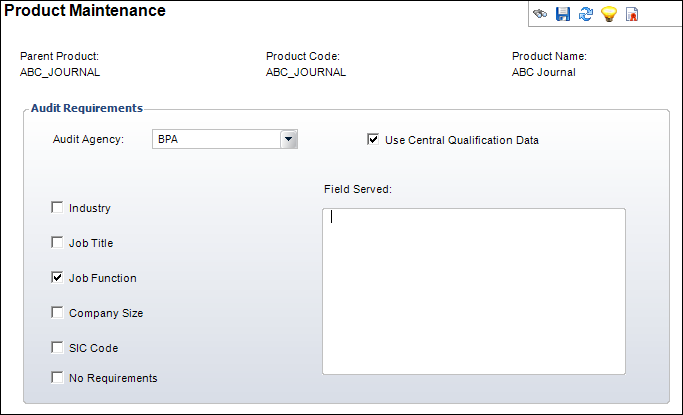
The Product Maintenance screen displays, as shown below.
4. Select "BPA" from the Audit Agency drop-down.
5. Select the check box for Use Central qualification Data.
6. Using the checkboxes, check the relevant recipient qualifications that need to be tracked for this publication.
7. Enter the Field Served information.
8. Click Save.
9. From
the Product Definition task category, click Define
Rates and Pricing.
The Product Maintenance Rates and Pricing screen displays, as shown below.
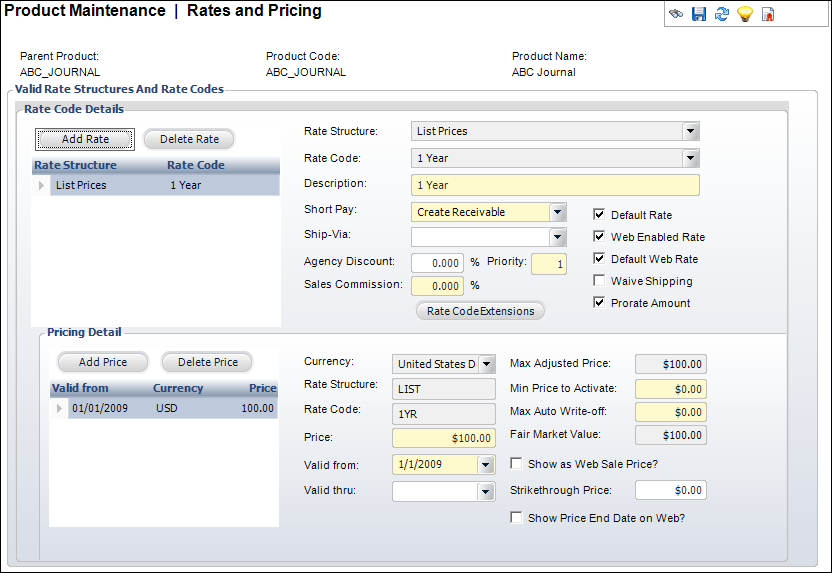
10. Highlight one of the rate codes in the Rate Code Details group box.
11. Click
Rate Code Extensions.
The Rate Code Extensions window displays, as shown below.
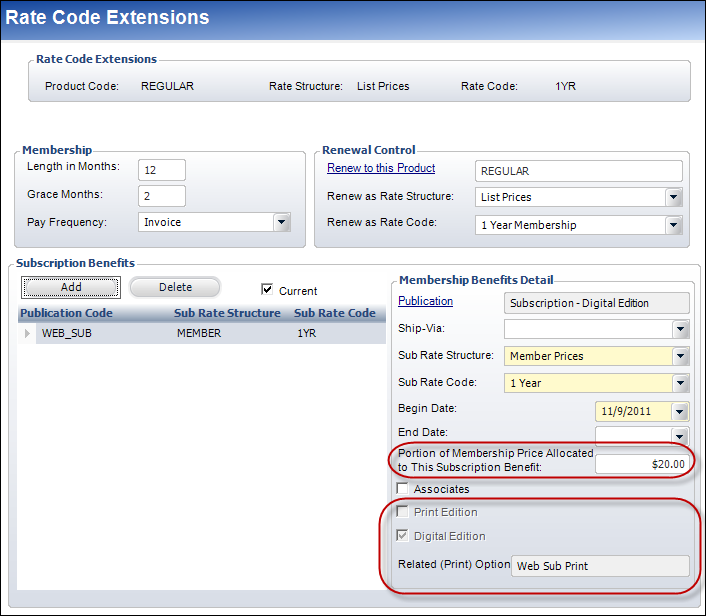
12. From the Audit Type drop-down, select the relevant Audit Type based on the BPA rules.
13. Click Save and close the screen.
14. Repeat steps 1-6 for each applicable rate code.