 This
only needs to be done one time for each organization unit.
This
only needs to be done one time for each organization unit.
For each of your organization’s organization units, you must import a set of records from the ABS_REVIEW_PROCESS_BASE table of the “Startup Org/Org Unit” into the ABS_REVIEW_PROCESS_BASE table of the org unit(s) that will use the ABS system.
When an ABS administrator creates a new call submission type, he or she answers questions related to the review process. Based upon those answers/settings the system copies only the relevant review process event records for the submission type.
This
only needs to be done one time for each organization unit.
To set up your organization units for use with the ABS system:
1. From
the toolbar, select System Admin > Organization
Structure > Organization Unit Definition.
The Organization Unit Maintenance search screen displays.
2. Search
and select the Org/Org Unit you
want to set up.
The Organization Unit Maintenance detail screen displays.
3. From
the Abstract Review Process task group, click
Import Abstract Review Process.
The Import Abstract Review Process Events screen displays, as shown below.
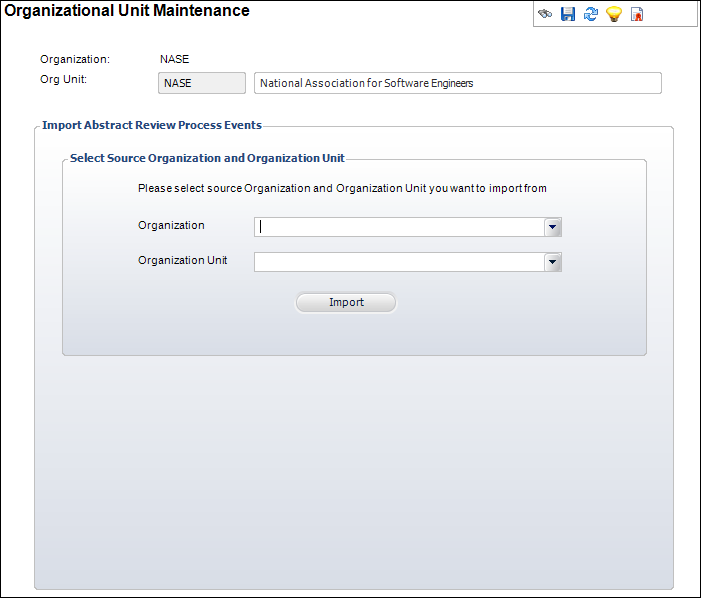
4. From the Organization drop-down, select “TIMSS Startup Organization”.
5. From the Organization Unit drop-down, select “TIMSS Startup Org Unit”.
6. Click
Import.
The records are copied into the Org Unit’s ABS_REVIEW_PROCESS_BASE table.
When a new call submission type is created and the administrator answers questions about how the review process will work for that call submission type, the system references the records in the ABS_REVIEW_PROCESS_BASE table to create review process event records for the call submission type.